
In India, customers still prefer the phone over other communication channels when it comes to sales and customer service. Whether you’re running a small startup or a growing SME, effective calling and messaging features can make or break customer relationships.
That’s why we’ve curated a list of affordable CRM software in India that offers the best lead management and automation features while catering to your telecalling needs.
But if you’re managing a large enterprise, don’t worry — we’ve got you covered, too. Scroll further down to discover the top CRM solutions designed to handle the complex demands of big businesses.
For a small business, a CRM is simply a tool that helps you keep track of your leads, conversations, follow-ups and deals in one organised place.
Instead of using many software and apps like WhatsApp chats, phone calls, Excel sheets, etc., you put everything in one dashboard, so you can:
In short, a CRM helps you close more deals without missing a lead, even if your team is small or your process is still taking shape. Many sales teams use reliable devices like Acer laptops to efficiently manage their CRM tasks on the go.
And if your business relies more on calls and WhatsApp than email, then a CRM is exactly what you need. Modern CRMs aren’t expensive or complicated; they’re affordable, mobile-friendly and built for Indian businesses that want to grow faster and work smarter.
Between WhatsApp pings, phone calls, Excel sheets and team chats, it’s easy to lose track. And in business, losing track often means losing sales.
And if you are not sure whether you actually need a CRM? Here are six tell-tale signs that it’s time:
You get leads from Facebook, Google Ads, referrals… but somehow they’re not getting called or you can’t track who followed up when. If your Excel sheet has more pending columns than updates, it’s time to switch to a more organised tool.
Copy-pasting numbers, setting reminders and updating lead statuses — these things eat up your team’s time. A CRM automates this, so your team focuses on closing deals, not just filling up the spreadsheet.
One person calls, another messages the same lead and a third doesn’t even know the lead exists. If this sounds familiar to you? A CRM brings everyone on the same dashboard, so nothing gets missed.
If you can’t answer questions like “How many leads converted last week?” or “Who’s your top-performing salesperson?”, you need better reporting. A CRM shows you what’s working and what’s not.
Following up late or worse, not following up at all, is one of the biggest reasons for lost sales. A CRM gives your team reminders, automation and nudges to follow up on time.
If your prospects say, “I already spoke to someone from your team,” or “I never got a callback,” it’s a signal. A CRM helps you track every interaction so no customer feels ignored or forgotten.
If any of the signs above felt familiar, don’t worry. Here’s a list of the best CRM software for small and midsize businesses in India to help you manage your leads and grow your business.
Telecrm is a telecalling and WhatsApp-based sales CRM specifically crafted for small to medium-sized enterprises (SMEs) operating in India. Renowned for its affordability, Telecrm offers a wide array of features including customisable sales pipelines, automated follow-ups, omnichannel communication and WhatsApp integration to meet the diverse needs of Indian businesses. The best part — you can manage all your WhatsApp conversations from within the Telecrm dashboard.
Automatic lead capture: Integrates with Facebook Ads, Google Ads, WhatsApp and any third-party platform through custom API for centralised lead management
Built-in autodialer: Eliminate the need for manual dialling and call your leads with one click
Call recording: Provides detailed recordings of all the calls made by your sales team even on the mobile app
Omni channel communication: Communicate through sim-based dialer, WhatsApp, SMS and email from one central hub
Customisable sales pipeline: You can customise and implement sales processes unique to your business
Automation: Automate manual repetitive tasks like sending reminders, updating lead statuses, sending promotional messages in bulk, etc.
Performance reports: Get detailed performance reports on the number of calls made, lead conversion rate and even custom metrics
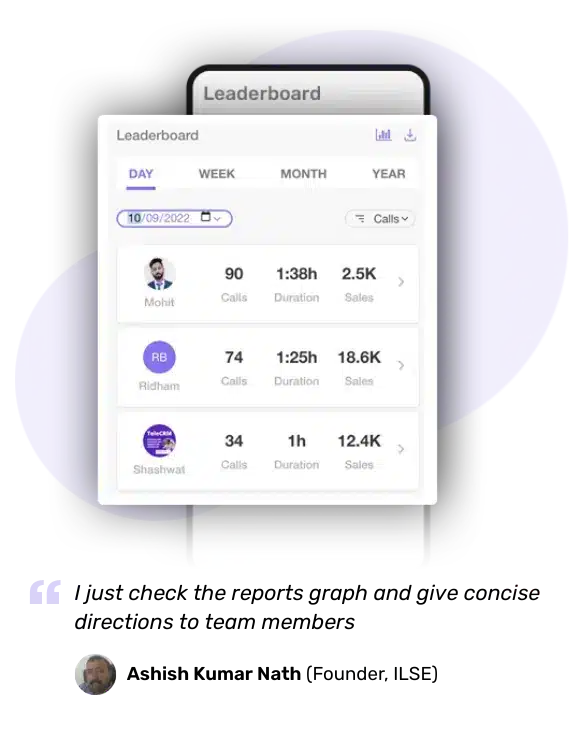
Mobile app: An app designed for your sales team to manage leads from their mobile devices
Interaction history tracking: Track every minor interaction from calls to follow-ups to WhatsApp messages sent, etc.
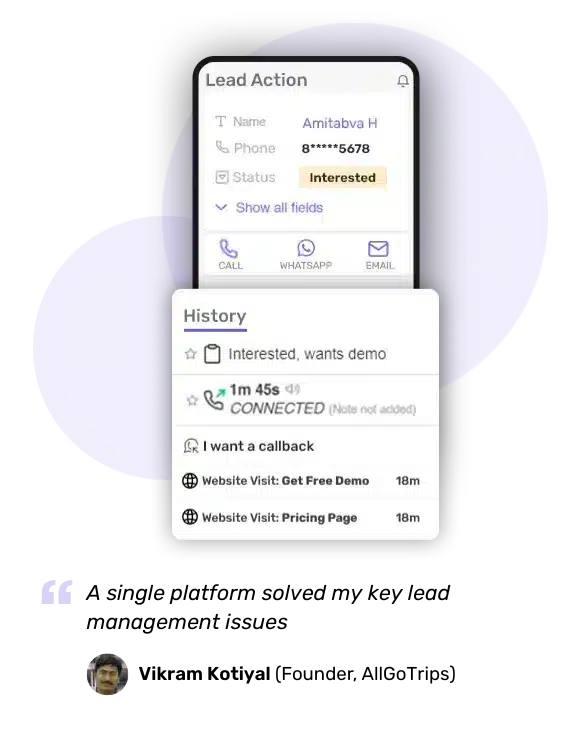
Team management: Assign leads to your sales team on autopilot and define their responsibilities
Telecrm offers two pricing plans; one with all the features of a CRM, and the other with the same features plus WhatsApp chat sync (to track all WhatsApp conversations of your sales reps directly from the CRM)
Billed quarterly: ₹849 per user per month
Billed annual: ₹599 per user per month
*WhatsApp Chat Sync add-on:
Billed quarterly: ₹1049 per user per month
Billed annual: ₹749 per user per month
Designed especially for individuals who aren’t tech savvy, resulting in higher adoption rates
More cost-effective than many of our competitors, and offers a comprehensive list of features
Provides best-in-class customer support through calls, Zoom and even WhatsApp
Though you can send emails, there is no email automation feature, so you’ll need to integrate with third-party platforms to leverage its email marketing capabilities to the fullest
No free plan
Bigin by Zoho CRM is designed for small and micro businesses looking to transition from spreadsheets and simple sales tools to a more structured and efficient CRM system. Even those with minimal CRM experience will have no trouble using it thanks to its user-friendly interface.
Pipeline management: Allows users to create and manage sales pipelines, track deals and monitor sales activities
Task management: Track and schedule tasks and activities, ensuring timely follow-ups
Workflow automation: Automates repetitive tasks such as email alerts and follow-ups
In-built telephony: Make and receive calls directly within the CRM
Multichannel communication: Supports communication via email, WhatsApp, X (formerly Twitter) and integrates with video conferencing tools like Zoom
Customisable forms: Create custom forms for lead capture and data collection
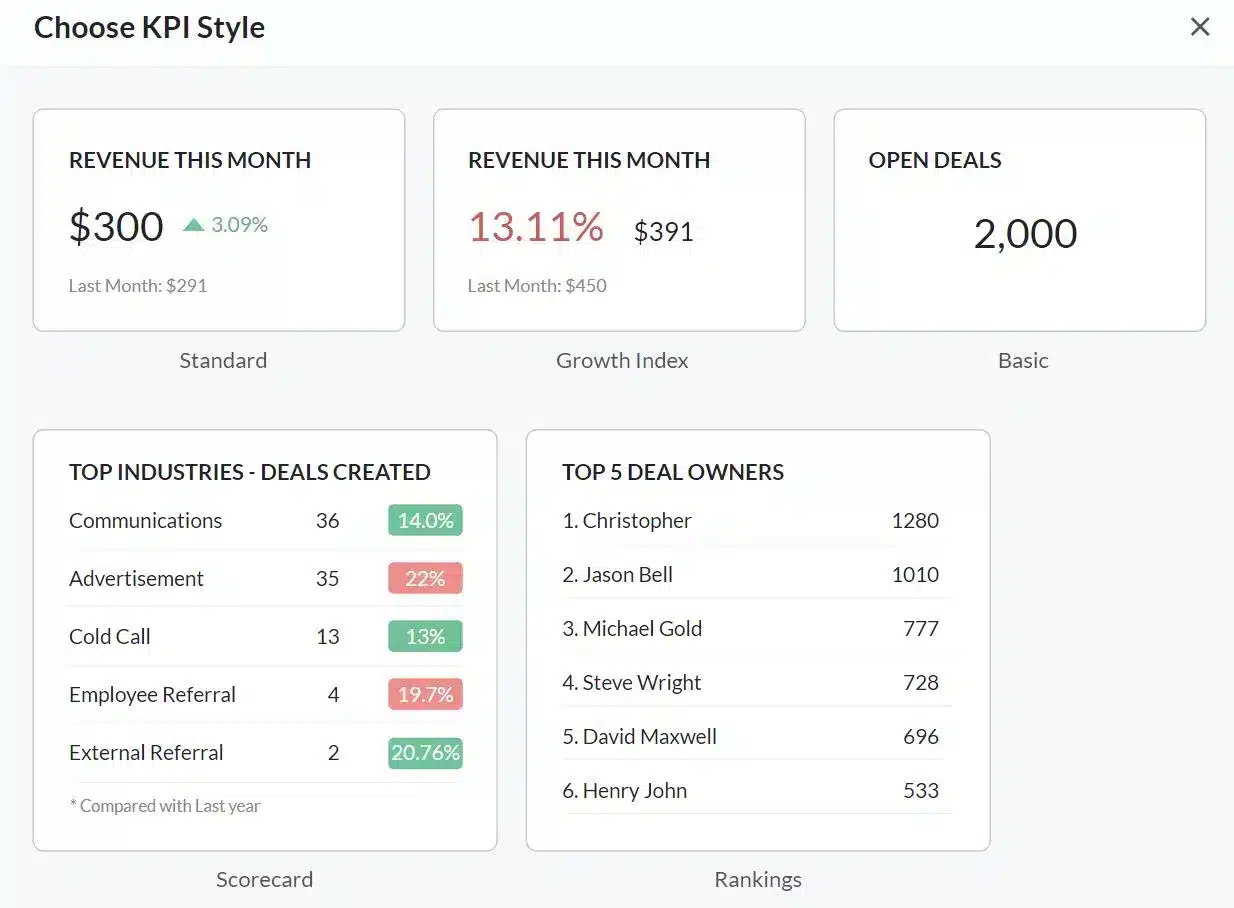
Bigin has three plans
Free plan: Available for up to 500 records, one pipeline and three workflows
Express plan: ₹400 per user per month
Premier Plan: ₹720 per user per month
Visit Bigin to know more.
A free forever plan to meet your basic requirements and for you to figure out if it’s the right CRM for your business
Simple and intuitive interface with a minimal learning curve
Access to Zoho Marketplace for third-party integrations
No customisability in the free plan. Plus, WhatsApp and email integration is only available in the paid plans.
Customer support isn’t available for free plan users.
Related Read: What is CRM? Features, Types, Benefits and More!
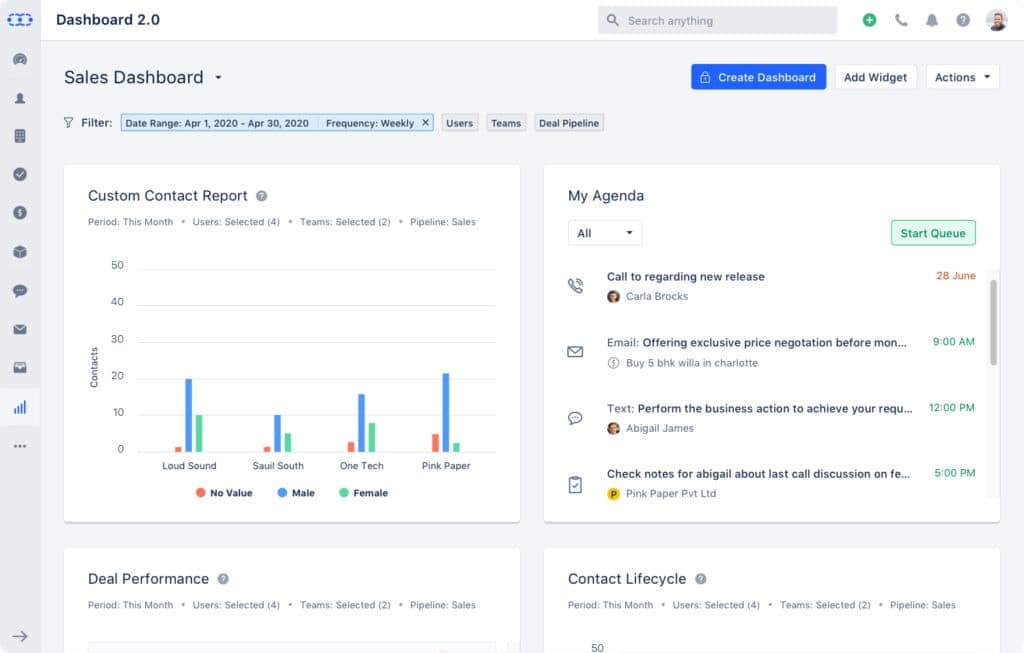
Salesmate has an intuitive interface with automation capabilities that make it ideal for the not so savvy users and teams looking to optimise their sales and customer relationship management.
It’s essentially not a startup CRM. It is also a bit on the costly side for SMEs. It has comprehensive sales automation features that can more than fulfil the needs of large enterprises as well. The reason it’s on this list is that it caters to startups’ telecalling needs as well as automation needs.
Sales automation: Reduces manual work by automating follow-ups, lead assignments and onboarding processes
Built-in calling: Offers a virtual phone system with local numbers, VoIP calling, call recording and transfer capabilities
Text messaging: Includes SMS campaign features, automated messaging and high deliverability through local number distribution
Salesmate offers four pricing plans:
Basic: $23 per user per month (billed annually) (Best plan for startups)
Pro: $39 per user per month (billed annually)
Business: $63 per user per month (billed annually)
Enterprise: Custom pricing based on specific business needs
Salesmate also offers a 15-day free trial for all plans, allowing users to explore its features before committing. Visit the website to know more.
Multiple (verified) users call it “extremely user-friendly”
The automation feature is simple and easy to use
No free plan
No WhatsApp integration; it’s primarily an email marketing platform
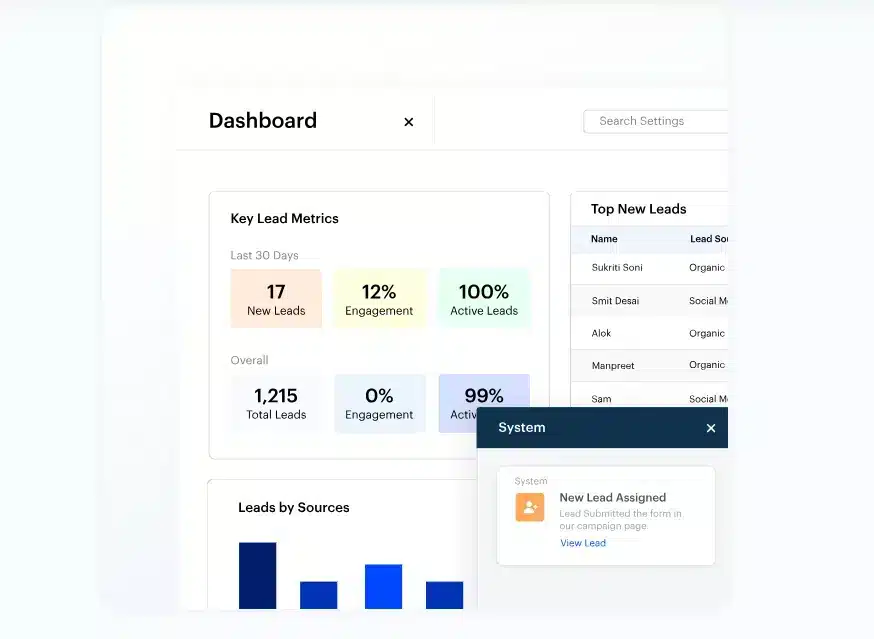
LeadSquared is an Indian CRM catering to lead management use cases of both SMEs and large enterprises. With email, WhatsApp integration and click-to-call features, it is one of the best CRM software in India and leverages these channels for lead communication. But there’s one reason why it’s at the bottom of this list — it’s priced quite high compared to the other CRM software in this list.
Lead scoring: Automatically score and prioritise your leads based on their engagement and potential so you can focus on the most promising ones
Dynamic forms: Create single or multi-step forms to capture leads and tasks. These forms can be customised to suit your specific needs
Click-to-call: Call leads directly from the CRM with just one click
LeadSquared offers three pricing plans:
Lite plan: ₹2500 per user per month (billed annually) — Basic lead management, CRM functionalities and essential sales automation tools
Pro plan: ₹5000 per user per month (billed annually) — Advanced lead management, sales and marketing automation and customisation options
Super plan: Custom pricing — Includes all Pro features plus enhanced automation, advanced analytics and more
Visit LeadSquared to know more about pricing.
Allows sales teams to work on the go with its dynamic mobile app
Provides how-to guides and webinars to support new users, although setup can be time-consuming
Some users report slow response times
No free plan is available and is much more expensive than other CRMs on this list

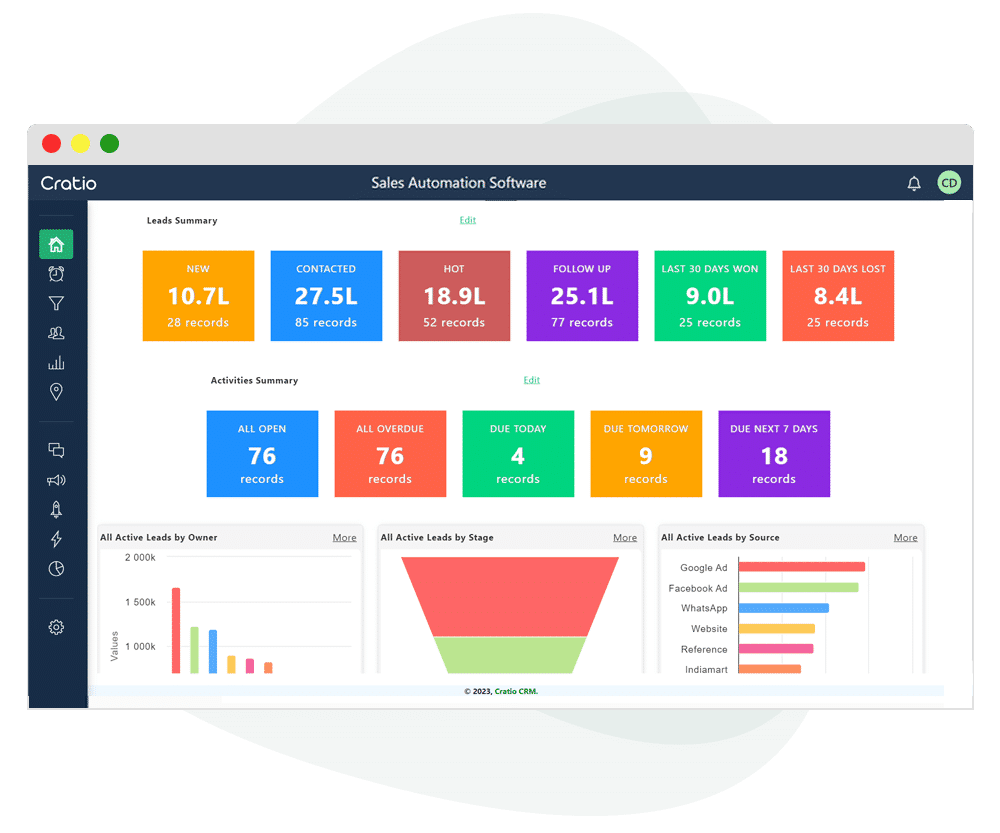
Cratio CRM is designed with SIM-based telecalling and WhatsApp messaging features for Indian sales teams and targets industries ranging from B2B companies, real estate, financial services to education and call centres. It is one of the most affordable CRMs with a focus on lead management and reporting.
Lead management: Captures leads from various sources, including Google, Facebook, email and websites. Leads can be bulk imported and distributed based on predefined rules
Sales activities management: You can plan, assign and track calls, tasks and visits
Mobile CRM: Offers mobile access with features like daily activity plans, one-click visit updates and GPS location-based activity updates — Works on both Android and iOS
Automation: Facilitates automated follow-up message sequences and provides updates on overdue and upcoming follow-ups
Cratio CRM offers a single pricing plan with additional charges for certain features:
Annual: ₹599 per user per month (minimum five users required)
Quarterly: ₹999 per user per month (minimum five users required)
Visit Cratio to know more about pricing.
One of the most affordable CRMs in India
Provides a wide range of functionalities, including lead management, sales automation and mobile CRM capabilities
No free trial
A relatively new software, plus you’ll have to purchase license for at least five members at once
Additional charges for features like WhatsApp marketing automation and mobile telecalling

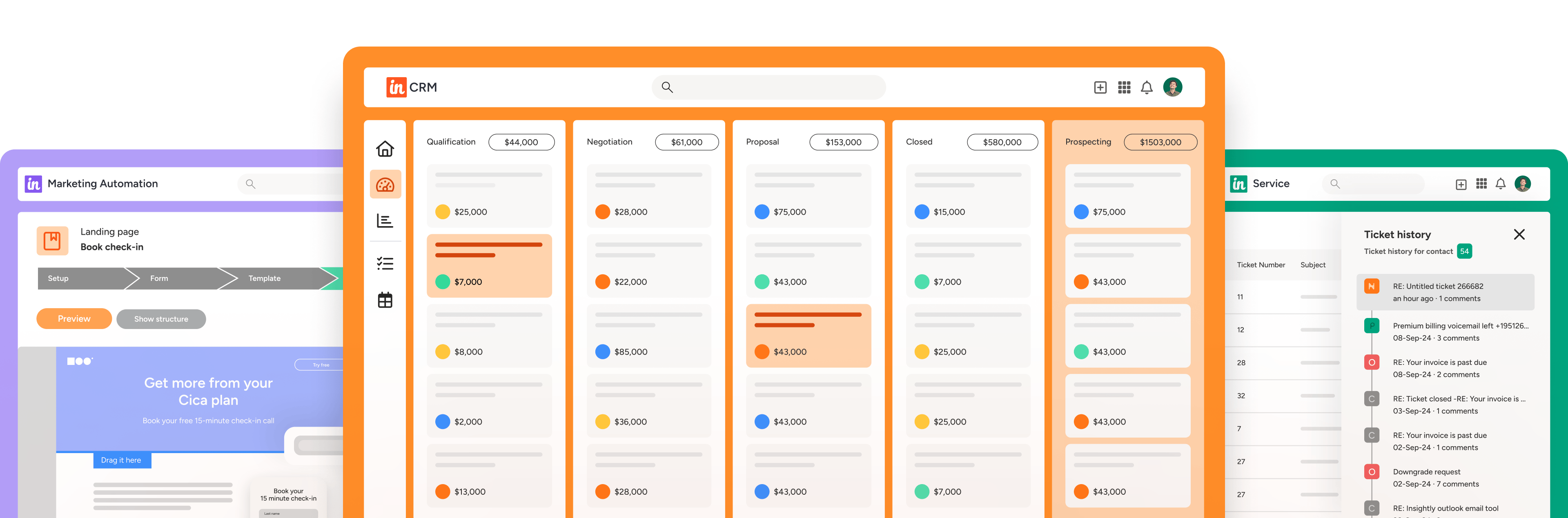
Insightly is a powerful CRM and project management solution made for enterprises with complex workflows. It’s best suited for businesses looking to link sales, operations and delivery teams under one system.
Features it is known for
Pricing
Visit here to know more about Insightly pricing.
Pros
Cons
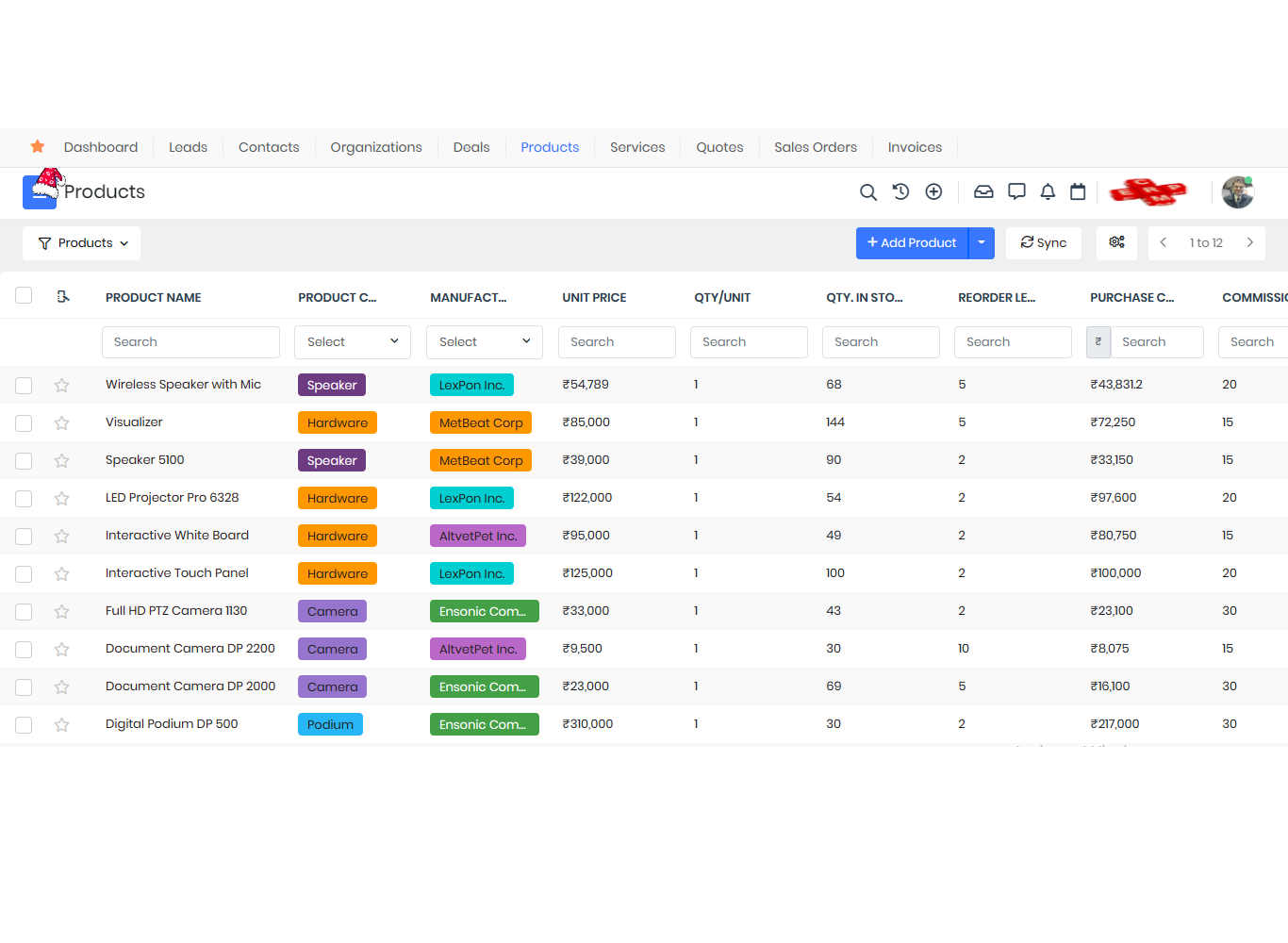
Vtiger CRM is an Indian-origin tool that has scaled globally and is known for its unified sales and support capabilities. It offers both cloud and open-source options, making it flexible for enterprises with custom deployment needs.
Features it is known for
Pricing
Visit here to know more about Vtiger pricing.
Pros
Cons
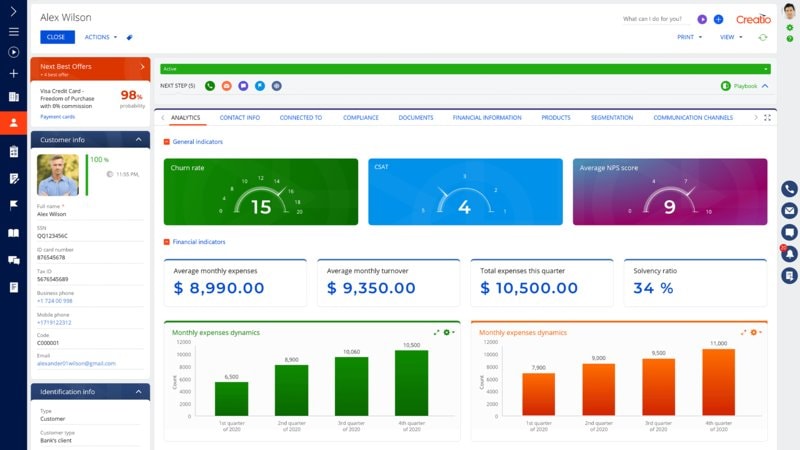
Creatio is a low-code CRM platform best suited for large enterprises that require custom workflows and process automation across departments. It’s used by companies that need a tailored CRM experience with minimal IT dependency.
Features it is known for
Pricing
Visit here to know more about Creatio pricing.
Pros
Cons
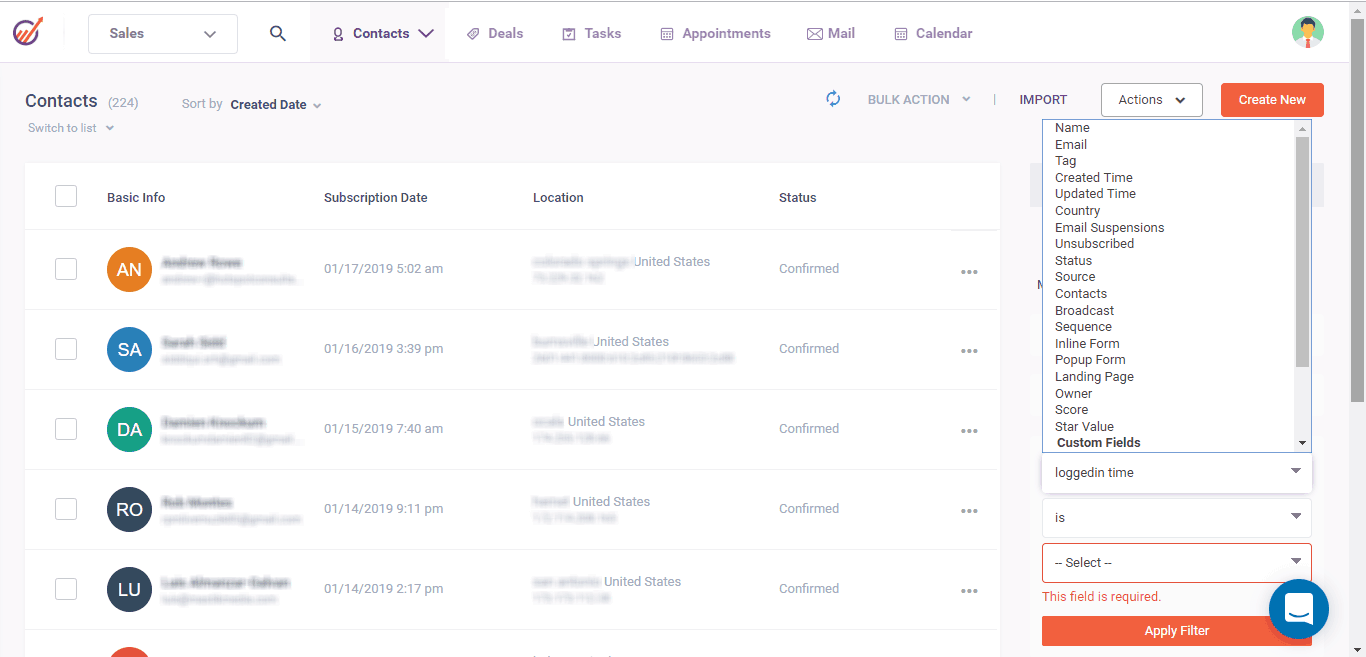
EngageBay offers a complete marketing, sales and support suite in one CRM tool. It’s ideal for mid to large-sized Indian businesses looking to unify lead generation and post-sale support.
Features it is known for
Pricing
Visit here to know more about Enagagebay pricing.
Pros
Cons
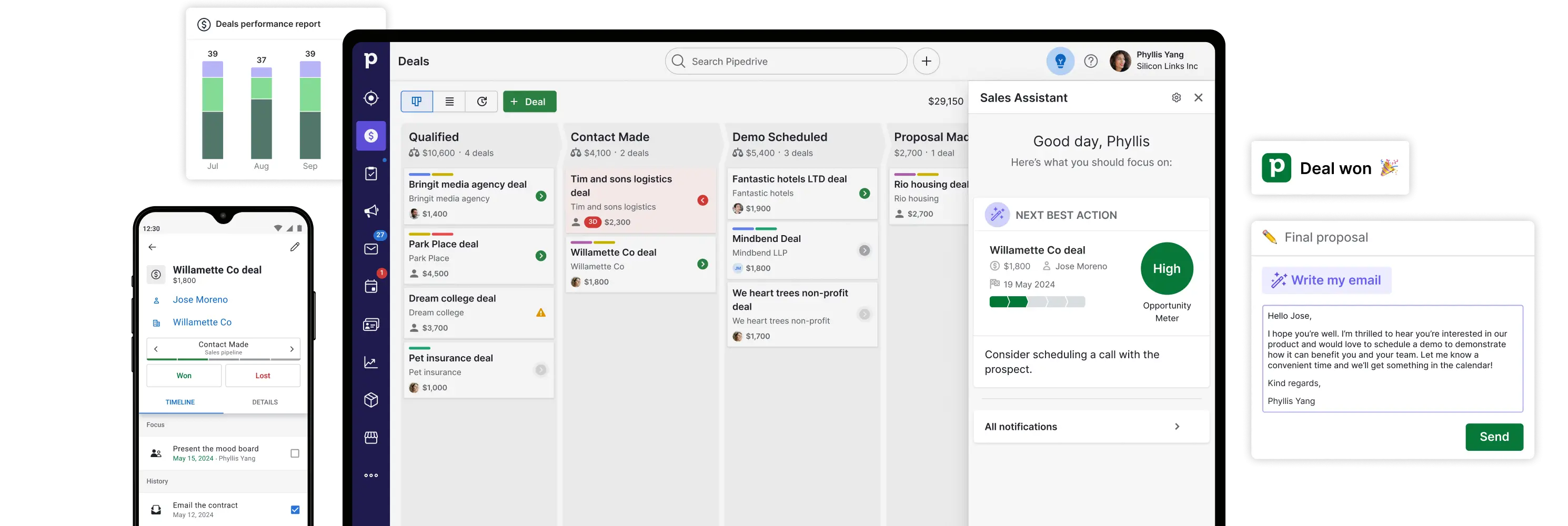
Pipedrive may look like a small business CRM, but its flexibility and marketplace integrations make it well-suited for large sales teams too.
Features it is known for
Pricing
Visit here to know more about Pipedrive pricing
Pros
Cons
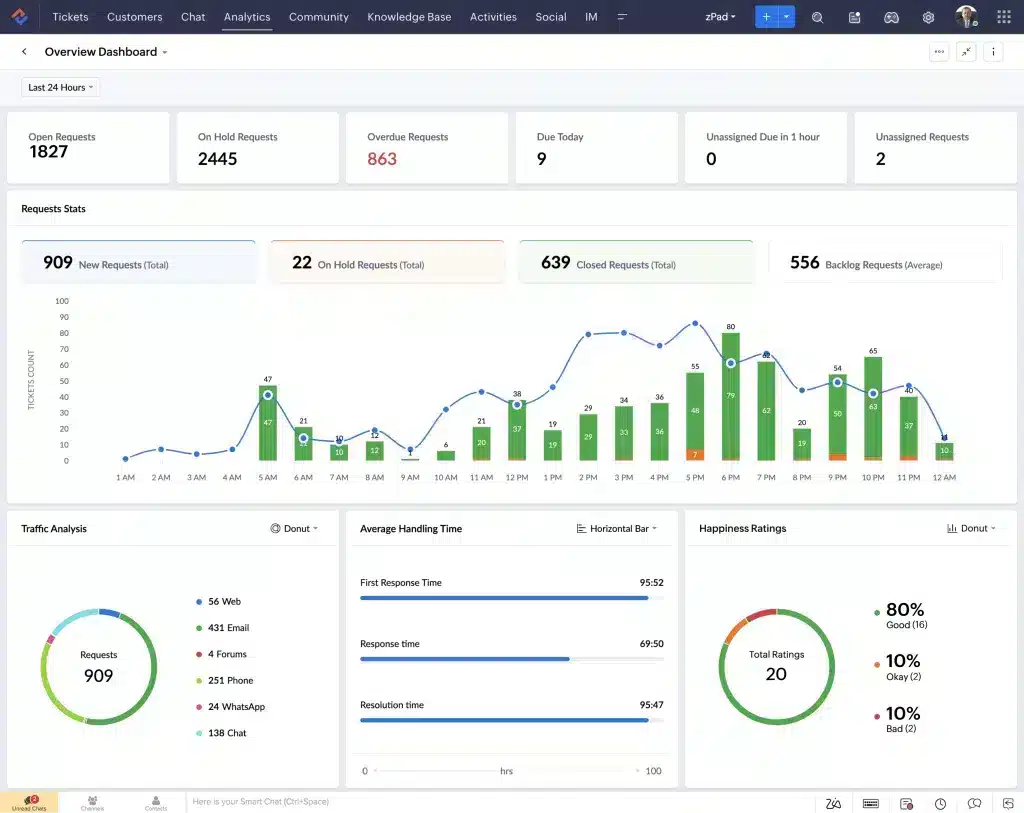
Zoho CRM is an enterprise-level CRM. Although it’s generally not suited for small businesses or startups, it can cater to their needs as well. But if yours is a small company, we’d recommend you check out Bigin instead. It is one of the best CRM software in India for large enterprises.
Unified contact view: See all interactions (calls, emails, etc.) for each contact in one place
Segmentation & insights: Group contacts by key details and get insights with Zia AI about the most relevant leads
Highly secure: Protect your data with encryption and access controls to ensure your contacts are safe
Telesales management: Make calls, send SMS, WhatsApp messages and emails all from one dashboard
Social media integration: Integrate Facebook and Twitter to interact with contacts directly from the CRM
Zoho CRM has four pricing plans:
Free plan: Supports up to three users with essential CRM features
Standard plan: ₹800 per user per month (billed annually) — Includes sales forecasting, multiple sales pipelines, lead scoring and more
Professional plan: ₹1,400 per user per month (billed annually) — Adds features like inventory management, Google Ads integration and automated workflows
Enterprise plan: ₹2,400 per user per month (billed annually) — Provides advanced AI capabilities, territory management and custom functions
Ultimate plan: ₹2,600 per user per month (billed annually) — Offers enhanced feature limits, deeper AI capabilities and advanced customisation options
Try the free plan first to see if Zoho meets your needs. Then, you can upgrade to the Standard plan. The Professional plan is your best bet if you have a large team, and complex workflows that need automation.
Visit Zoho to know more about pricing.
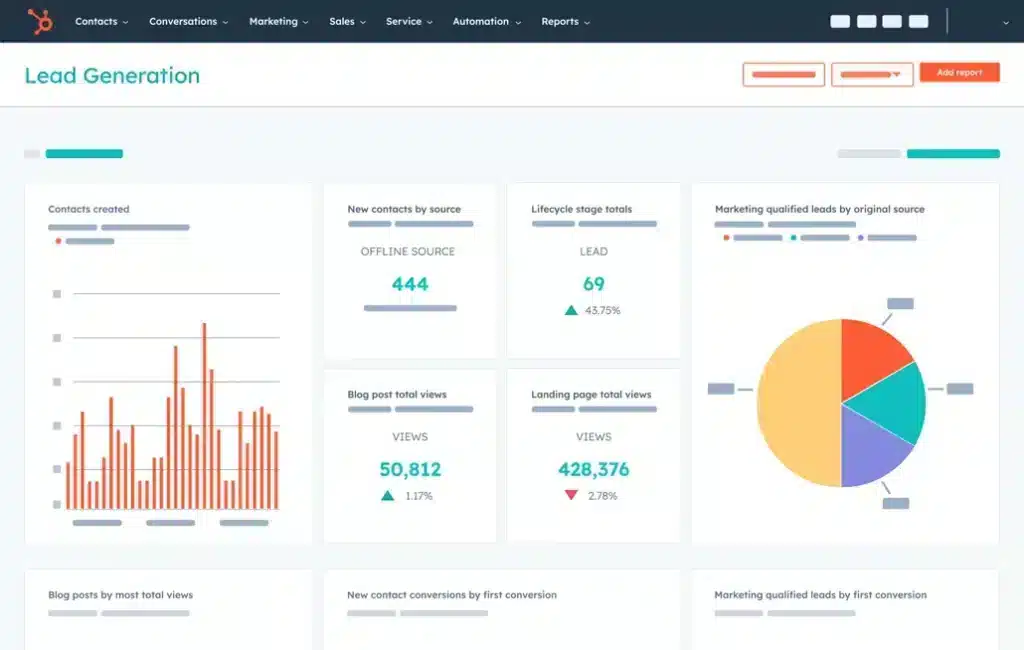
HubSpot is one of the popular free CRM systems offering tools for marketing, sales, customer service and content management. Its free version is perfect for small businesses and startups, especially those focusing on social media and Google Ads.
Paid plans, though costly, bring in a lot of services that other CRMs in this list don’t even remotely provide — you can create landing pages, integrate social media and manage it from the CRM, all while handling all the other CRM functionalities.
Social media integration: Paid plans allow connection to social media accounts (Instagram, Facebook, LinkedIn) for posting and tracking campaign performance
Ticket management: Organise customer inquiries and assign tickets to your sales team for quick resolution
Meetings: Schedule meetings with leads and contacts (only one meeting can be scheduled at a time in the free version)
Ad campaign tracking: Track Google Ad campaigns directly from HubSpot
Communication tools: Email, live chat and message leads using Facebook Messenger from HubSpot (included in the free version)
Integrations: A wide range of integrations for marketing, sales, automation and connectivity apps are available
Comprehensive connectivity beyond lead management
The free version includes all core CRM functionalities
Costly, even for larger enterprises
No workflow automation in the free plan
Limited features in the free plan (e.g., 5 custom templates, 5 custom fields, one meeting at a time)
HubSpot offers four plans in its Sales Hub:
Free forever plan
Starter: $20 per month per seat
Professional: $100 per month per seat
Enterprise: $150 per month per seat
Visit HubSpot to know more about pricing.
Salesforce is not just a customer relationship management software, it’s a complete ERP that does everything from invoicing to inventory management to sales support. If you manage large operations and your business structure is not centred around calling for sales then Salesforce will be a good option for you.
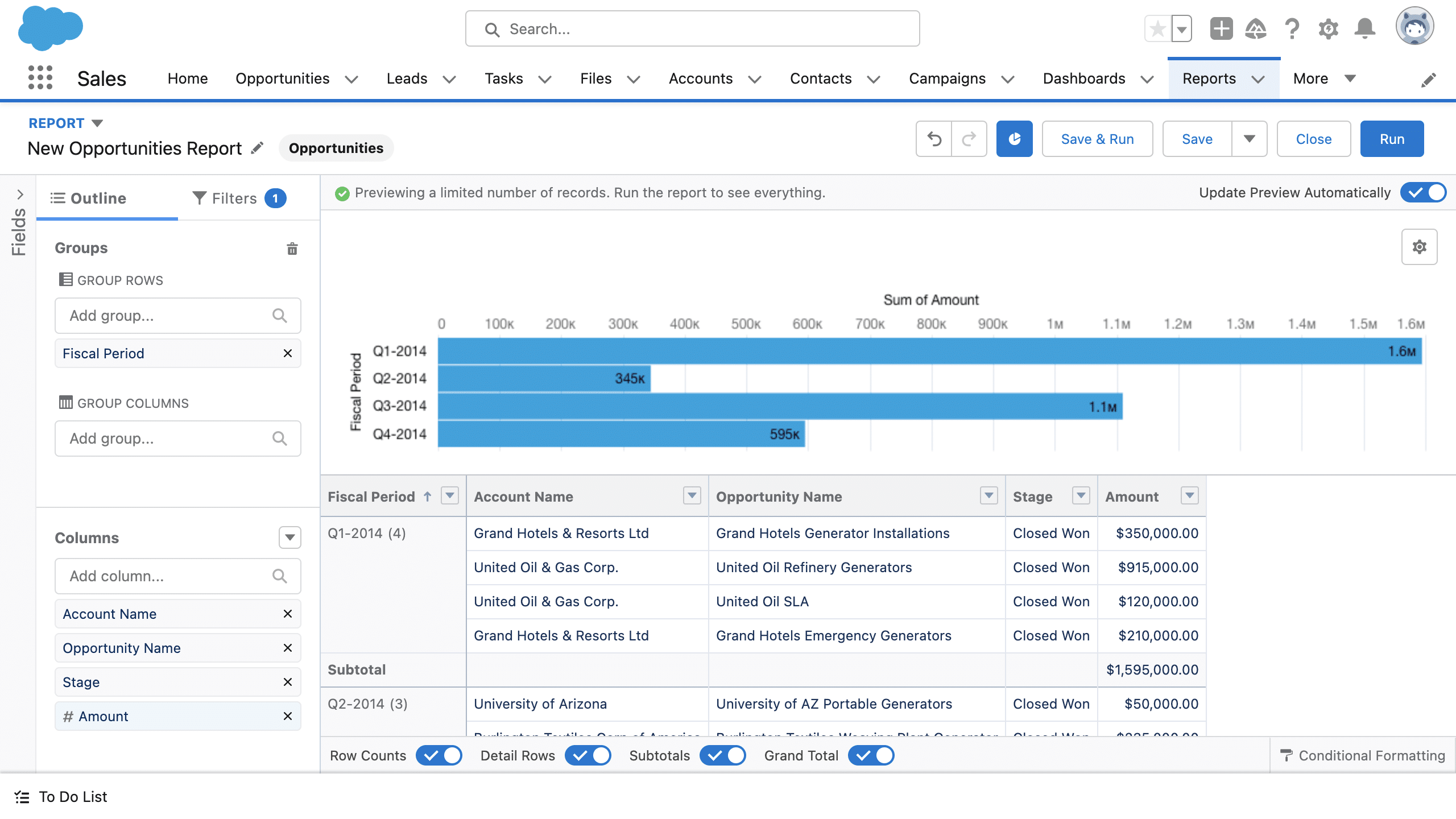
Einstein AI: Provides AI-driven insights and automation, including lead scoring, opportunity predictions and sales forecasting
Sales Cloud: A complete sales management solution that includes tools for lead and opportunity management, sales forecasting and workflow automation to streamline sales processes
Service Cloud: Enhances customer service with features like case management, a self-service portal and call center integration, ensuring high-quality support and customer satisfaction
Access to well-documented guides and videos on YouTube and their website to assist you throughout the implementation process
Comprehensive phone-based customer support
Not the most user-friendly CRM on the market; requires extensive training and an adjustment period
Not very budget-friendly compared to other similarly comprehensive software available at a more reasonable price
Salesforce offers several pricing plans to suit different business needs:
Starter suite: $25 per user per month (billed annually) – Basic CRM features, and lead, account and opportunity management
Professional suite: $100 per user per month (billed annually) – Includes sales quoting, forecasting and enhanced customisation and automation tools
Enterprise suite: $165 per user per month (billed annually) – Advanced sales capabilities, pipeline management and workflow automation
Unlimited suite: $330 per user per month (billed annually) – Full suite of AI, automation and support capabilities
Visit Salesforce to know more about pricing.
The aptly named Microsoft Dynamics 365 offers a suite of solutions for finance, sales, customer service, supply chain management and much more! Here are some relevant options if you’re looking for sales or customer support:
Microsoft Dynamics 365 Sales: Ideal for understanding, segmenting and targeting your prospects and customers
Microsoft Dynamics 365 Customer Service: Designed for gaining keen insights into your existing customers and contact management
Custom integration: Integrates with Microsoft’s suite of applications like Microsoft 365, Azure and other third-party platforms through Microsoft Dynamics 365 APIs.
Customer interaction tracking: Track engagement throughout the entire customer lifecycle to better understand and serve your customers
Telesales management: Each call made through the CRM is automatically logged, capturing essential details such as call time, duration, outcome and any follow-up actions required
Automation: Interact with your customers on autopilot through emails and send updates about due payments, new offers and more
Central secure data management: Ensures data security and compliance with industry standards, including GDPR and HIPAA
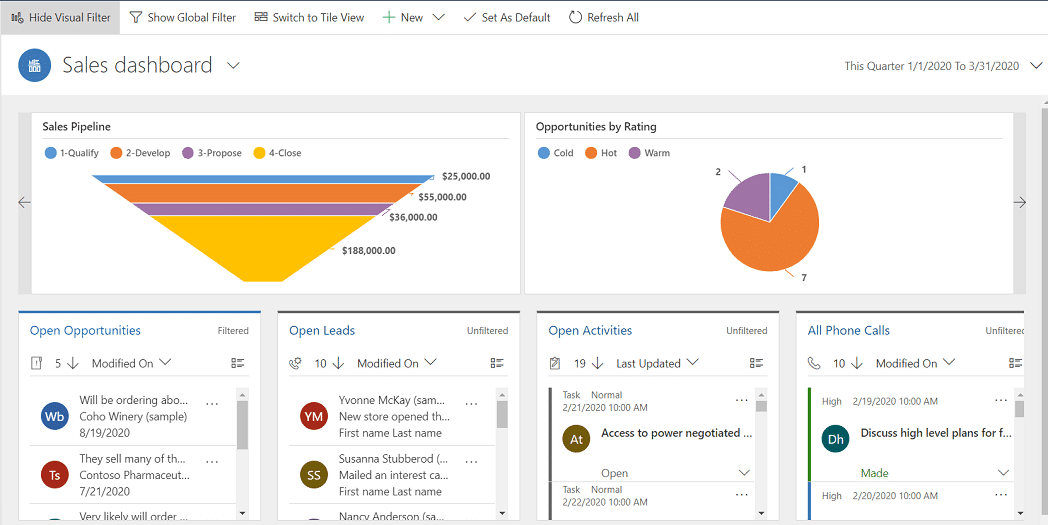
Customisation: Tailor dashboards, workflows and reports to fit your business processes
Customer segmentation: Use Microsoft’s Segment Builder feature to define rules and conditions for filtering and grouping customers based on various criteria
Detailed relevant analytics: Microsoft’s AI provides insights, such as how many payments are due this month or the number of tasks that need to be completed to meet targets
Suitable for businesses of all sizes and designed for easy adaptation, minimising the learning curve for your team
Extensive resources, including articles, tutorials and email support from Microsoft, help you set up your workspace efficiently
The company sells different products for sales and support which may mean you need to purchase a bunch of those applications
The base plan is excellent, except for those needing high-end AI and Copilot features, which are only available for Pro users and above
Mircosoft Dynamics 365 offers a free trial and three pricing plans:
Sales professional: $65 per user per month (billed annually) – Core sales force automation, Microsoft 365 integration, reporting and dashboards
Sales enterprise: $95 per user per month (billed annually) – Advanced sales force automation, AI-powered insights and extensive customisation options
Sales premium: $135 per user per month (billed annually) – Includes all Enterprise features plus pre-built customisable intelligence solutions
Visit Mircosoft Dynamics 365 to know more about pricing.
Monday Sales CRM is a versatile platform designed to manage contacts, interactions and workflows through a visual and intuitive interface. It offers four specialised solutions: Monday Sales CRM (for sales management), Monday Marketer, Monday Projects and Monday Dev.
So if you need a non-nonsense sales pipeline and project management tool without any bells and whistles, Monday is the best on this list.
Customisable workflows: Design workflows tailored to your specific sales processes, ensuring the CRM adapts to your business process
Visual dashboards: Customise the dashboard with various options, including Kanban, Gantt and calendar boards, to track progress and identify bottlenecks
Sales pipeline management: Monday offers an intuitive dashboard to manage all your leads and customer data from one central hub
Integration: Seamlessly integrates with tools like Slack, Gmail, Zoom and Mailchimp, centralising sales data and communication
Automations: Automate repetitive tasks easily with simple if/then logic to reduce manual effort and ensure consistency
Basic CRM: $12 per seat per month (billed annually)
Standard CRM: $17 per seat per month (billed annually)
Pro CRM: $28 per seat per month (billed annually)
Enterprise CRM: Custom pricing based on requirements
Visit Monday to know more about pricing.
Unlimited contacts in all plans
You can provide read-only access to selected data to unlimited users
Intuitive dashboard with drag-and-drop customisability
No automation in the free and basic plans
While Monday integrates with various tools, some users have experienced syncing problems when importing contacts from other platforms
Now, if you’re sure that your business needs a CRM, the next step is knowing what to look for.
Here are the key features that actually make a difference and the more of these your CRM has, the better it’ll work for you.
Your leads don’t come from one place, they come from your website, Facebook ads, WhatsApp messages, missed calls, referrals and more. If your CRM doesn’t automatically capture all of them in one place, you’ll end up chasing data instead of closing deals.
Why it matters: You save hours of manual work, reduce lead leakage and respond faster, which often means a higher chance of converting.
A CRM should make your life easier, not more complicated. If your team needs weeks of training or a dedicated tech person just to use the tool, they won’t use it. And when your team doesn’t use it, the system fails.
Why it matters: The simpler the CRM, the higher the adoption. And when everyone on your team actually uses the CRM, you get better tracking, follow-ups and results.
In India, sales conversations don’t happen over email, they happen over WhatsApp and phone calls. So why use a CRM that treats these as afterthoughts? Look for built-in WhatsApp chat sync and one-click calling features.
Why it matters: You can track every conversation, respond instantly and follow up without switching between apps, which speeds up the entire sales process.
Every business has its own sales process. A real estate company doesn’t sell like an ed-tech startup and a D2C brand doesn’t follow the same steps as a financial advisor. You need a CRM that can bend around your workflow, not the other way around.
Why it matters: You get visibility into every stage of the sale, identify where deals get stuck and create a consistent process your team can actually follow.
Imagine if your CRM could assign leads to the right rep, send WhatsApp reminders, change lead stages and shoot follow-up messages, all on its own. That’s the power of automation.
Why it matters: It reduces manual errors, speeds up response time and ensures no lead is left hanging so your team can focus on selling, not admin.
Your sales team is not always sitting in front of a laptop, they’re on the field, calling leads, meeting clients or following up on the go. A good CRM should work just as smoothly on mobile as it does on desktop.
Why it matters: Your team can update leads, take notes, set reminders and track calls in real time from anywhere. That means faster updates, fewer delays and better coordination.
You can’t grow what you don’t measure. Your CRM should show you real-time data on lead sources, call performance, deal progress and team productivity, all in a few clicks.
Why it matters: You get the clarity to make better decisions, coach your team more effectively and spot what’s working (and what’s not), so you can grow faster.
Now that you have a fair idea about some of the best CRMs in India, it’s time for you to take action. But first, you need to
Understand your requirements
Assess which of the above CRMs cater to those requirements
Decide on a budget and then do a second round of assessment based on pricing to finally make a decision
If you’re interested in knowing more about Telecrm, you can book a free demo to see it in action or you can visit our homepage Telecrm.in
Top CRMs like Zoho, Telecrm, Monday Sales CRM, LeadSquared and Salesmate are the most used CRM software in India.
For telecalling and WhatsApp-based sales teams: Telecrm
Startups and small businesses: Bigin by Zoho, Telecrm
For visual pipeline customisation: Monday Sales CRM, Freshworks Sales CRM
If you need a complete ERP system: Salesforce, Zoho CRM
To choose the best CRM software in India for your business, you need to take the following steps:
Understand what your requirements are: lead management, telecalling, email integration, automation, etc.
Define your operations: Do you have a large sales team? Few leads? Or do you lie somewhere in between? That’ll inform you on how comprehensive your CRM should be.
Browse through the available options: Go through free trials provided, be sure to check out Telecrm.
Assess your budget: Go for value, not affordability
Make your final decision!



© Copyright 2025 Telecrm.in - All Rights Reserved • Privacy Policy • T&C



© Copyright 2025 Telecrm.in - All Rights Reserved • Privacy Policy • T&C