
If you run a growing business, this might feel familiar:
Leads are coming in from all directions. Customers are asking for updates. Your sales team is trying to follow up while also handling calls, WhatsApp messages and support queries. And no matter how hard everyone works, something always slips through the cracks.
This isn’t a people problem. It’s a process problem.
Most SMBs struggle not because they lack talent, but because they lack structure. That’s where CRM software steps in — and specifically, operational CRM.
Unlike generic CRMs that just act like digital address books, an operational CRM is built to run your day-to-day business workflows — sales, marketing and customer support — from one place.
In this blog, we’ll break down:
Let’s get started by understanding what operational CRM really means — and why it’s different from every other CRM you’ve heard of.
Operational customer relationship management software helps you manage the daily front-end activities of your business, like handling leads, automating follow-ups, running marketing campaigns and resolving customer queries.
Think of it as the operational engine behind your sales, marketing and support teams. Instead of working in silos or juggling spreadsheets, your entire customer-facing team works from one shared system – with clear visibility, automation and tracking.
Here’s a simple way to understand it:
That’s the power of operational CRM – one tool that connects all your customer-facing workflows in real time
There are three main types of CRM:
You can think of it like this:
Operational CRM = Action
Analytical CRM = Insight
Collaborative CRM = Coordination
For most Indian SMBs, operational CRM is the best place to start – because it directly improves how your team works, communicates and serves customers.
Running a business in India today means dealing with a fast-moving market, tight competition and customers who expect instant replies. Whether you’re selling flats, offering courses, managing services or running a dealership, your sales and support teams are probably stretched thin.
Most businesses aren’t struggling because of a lack of effort. The real issue is a lack of structure.
Your team might be:
Over time, this chaos leads to missed deals, delayed responses and unhappy customers. And when your sales, marketing and support teams aren’t aligned, the entire customer experience breaks down.
This is exactly where an operational CRM makes a difference.
An operational CRM gives your team a clear workflow – from the moment a lead is captured, to follow-ups, handovers and customer support.

For example:
Whether you’re a team of 5 or 50, it basically removes the guesswork from your operations.
Indian SMBs often run lean, with one person handling multiple roles. With an operational CRM, your team doesn’t need to work harder, just smarter.
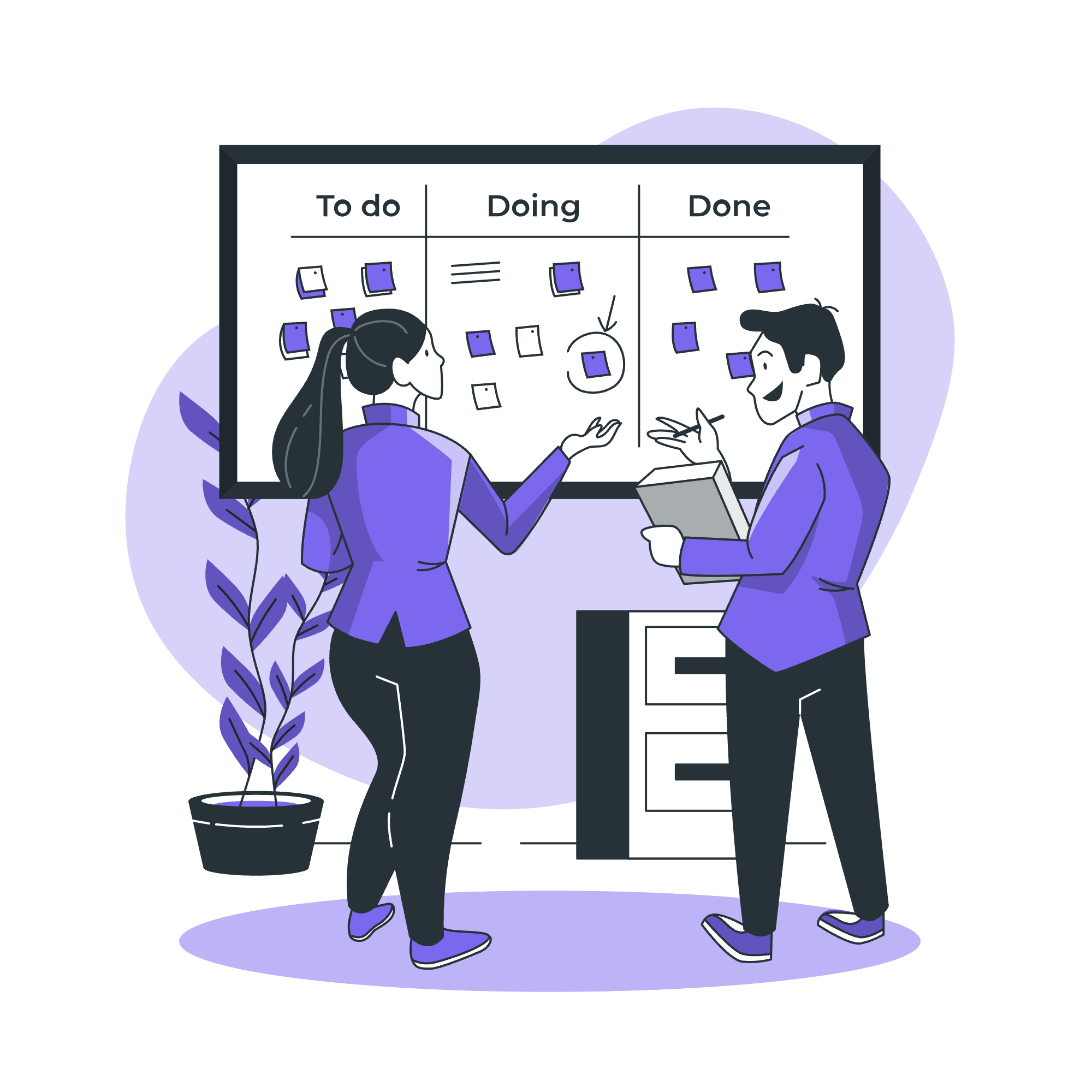
Tasks that would take hours manually, like setting reminders, updating leads or sending campaign messages, can be automated. Similarly, training and onboarding become faster when you use an all-in-one screen recorder to create reusable demo videos for your tools and workflows.
That means your team spends less time on routine tasks and more time closing deals and solving real customer problems.
You can’t scale chaos. As your business grows, so does the complexity – more leads, more follow-ups, more customers to support.
If your systems aren’t ready, you’ll hit a wall.

An operational CRM gives you scalable business processes. Everything is tracked, nothing is forgotten and handovers become seamless.
In short, it helps your business operations grow without losing control.
At a glance, operational CRM might just seem like a digital dashboard where you manage contacts and leads. But in reality, it’s much more than that.
Operational CRM is like a central hub for your sales, marketing and support teams – it helps you catch every lead, follow up on time and keep things running smoothly with your customers.
Let’s go deeper into what different CRM features it offers and how this actually plays out in your day-to-day operations.
Imagine this: you’re running Facebook ads, collecting enquiries from your website, attending events and getting word-of-mouth leads on WhatsApp.
Now, imagine tracking all of that in one Excel sheet.
It’s a nightmare.
An operational CRM solves this by automatically capturing leads from every source into a single system. No more copy-pasting, missed messages or digging through inboxes.
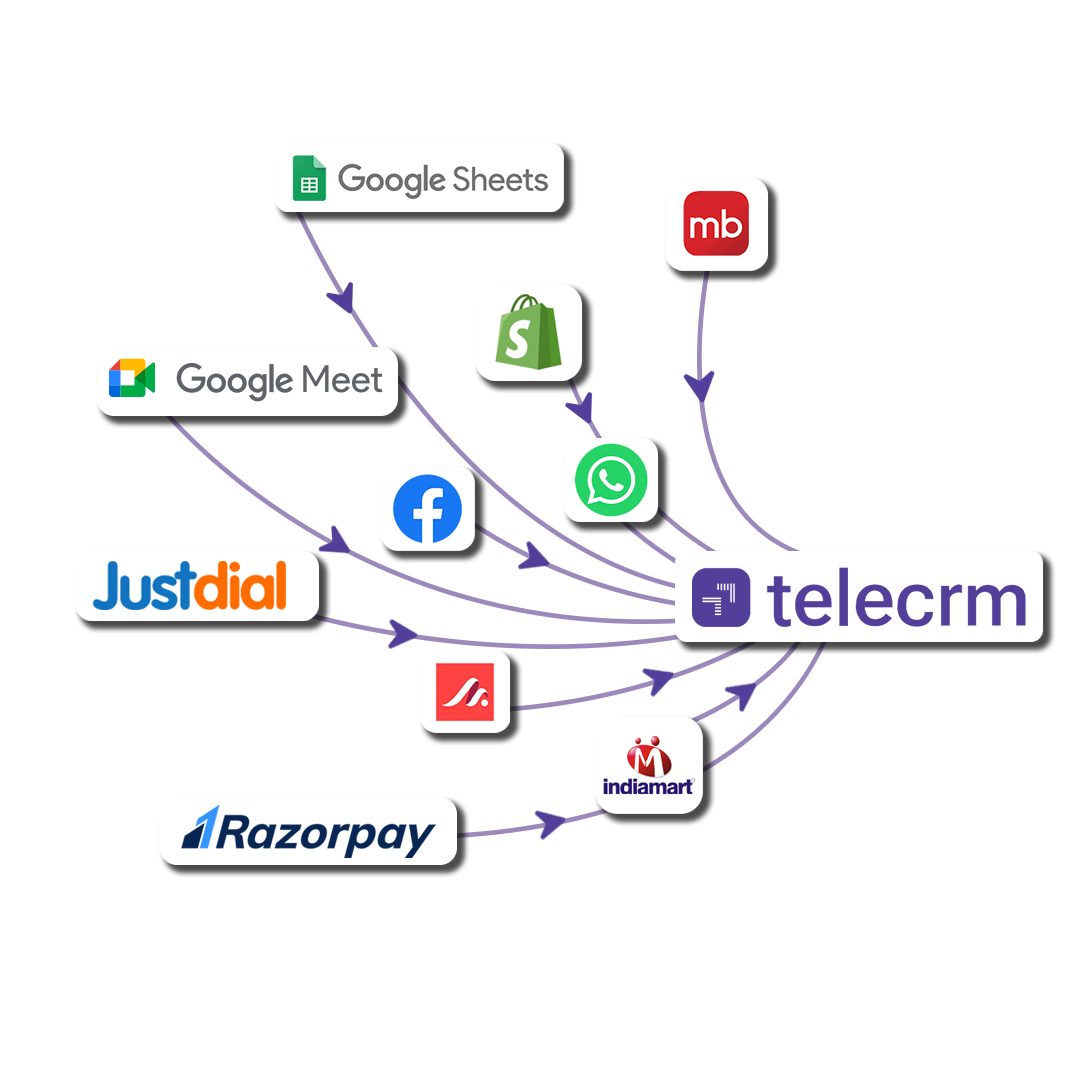
Whether it’s:
Every lead enters your CRM with the right source tag, timestamp and contact details. You can even set up additional integrations to send Facebook leads to Slack for instant team notifications or trigger automated workflows based on lead source. This ensures your team can respond quickly and personally.
In many SMBs, the business processes of assigning leads still involve someone asking, “Who’s free to take this one?” – or worse, no one following up at all.
Operational CRM removes the guesswork.
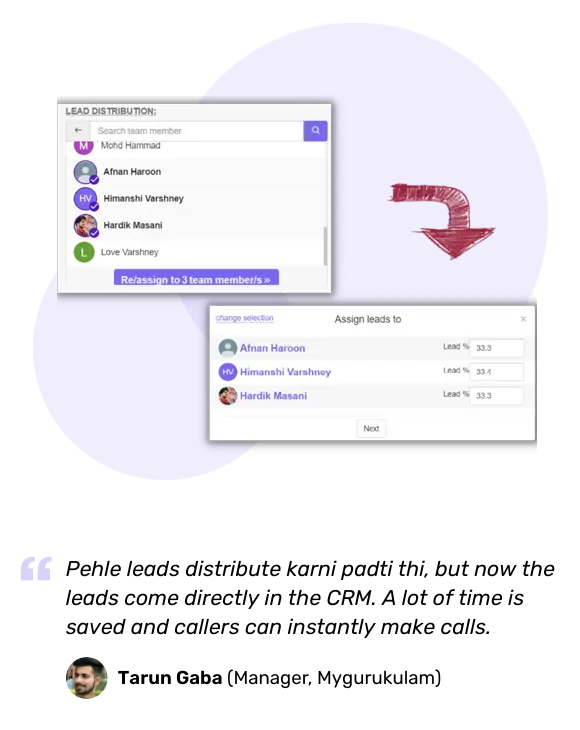
You can create assignment rules based on:
This means leads are assigned automatically within seconds, with no manual effort, no confusion and no delay in follow-up.
Here’s where most businesses lose deals: the first follow-up is done, but the second or third is forgotten. Or the rep assumes the lead is cold and stops trying.
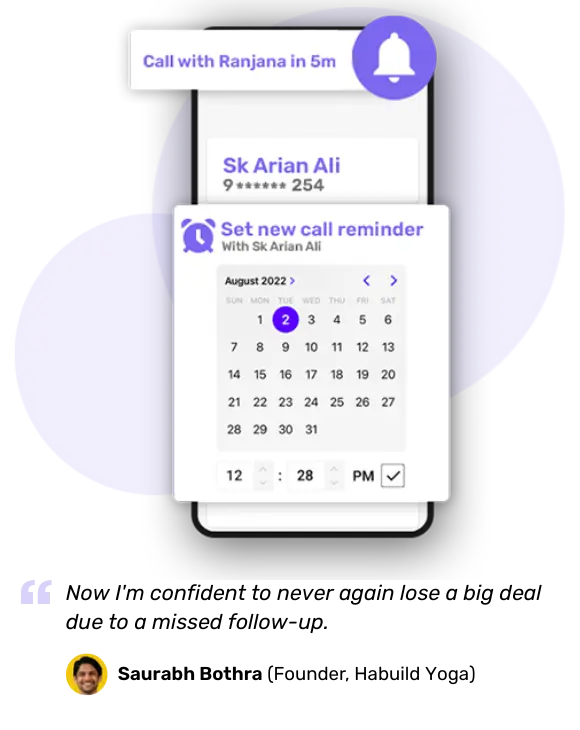
Operational CRM makes sure follow-ups are never missed, with:
It’s not about working more. It’s about making sure that no hot lead goes cold just because someone forgot to call.
Not every lead is ready to buy today. But they might be next week or next month.
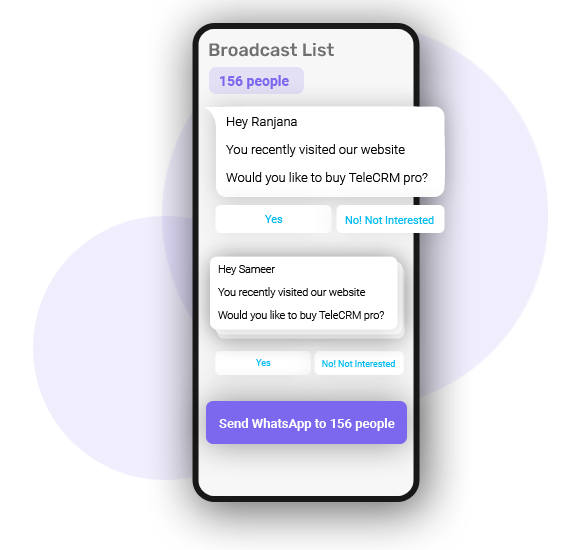
Operational CRM lets you keep in touch without lifting a finger every time, with built-in tools for:
This way, your leads don’t forget you and when they’re ready to buy, you’re the first brand they think of.
In most growing businesses, support is where things fall apart. The salesperson sells, the customer calls later and the service team says, “Sir, we’re not aware of this.”
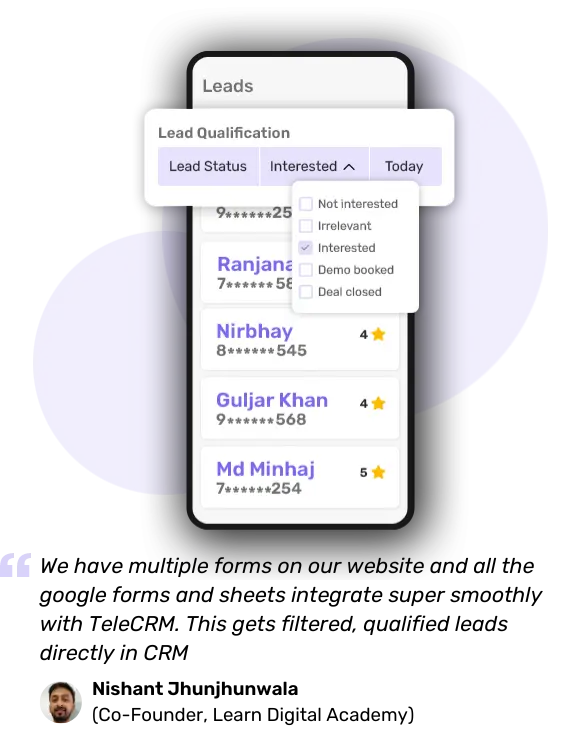
An operational CRM solves this disconnect by creating a shared customer timeline. Anyone in your company – be it a sales rep, a service executive or even your accountant – can:
This way, the handover from sales to support feels seamless to the customer. No repeated questions. No frustration. Just smooth, professional service.
You can’t fix what you can’t see. That’s why visibility is a huge part of operational CRM.
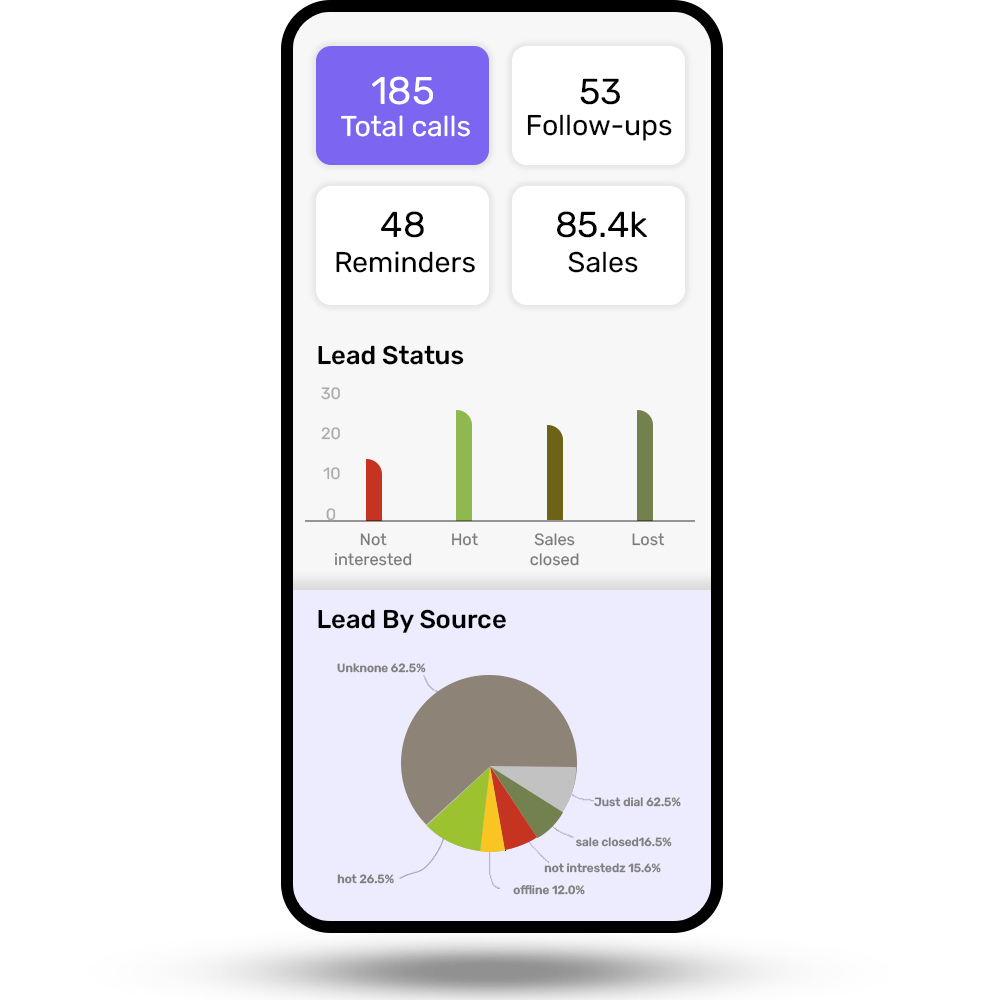
Whether you’re the founder, sales manager or team lead, you must track CRM metrics like:
This detailed analytics removes the need for daily check-ins, WhatsApp updates or back-and-forth follow-up on spreadsheets. Everyone knows what’s happening – and where the gaps are.
In summary, operational CRM doesn’t just help you organise your work. It helps you run your sales, marketing and support like a unified system – with structure, accountability and clarity.
It’s not just for big companies. It’s for every Indian SMB that wants to grow without burning out its team.
Now that you know how operational CRM works, let’s look at what makes it tick.
At its core, operational CRM is built around three main areas:
Each one has its own set of tools and automations. But they all work together in one system to help your team stay organised, close more deals and offer better service.
Let’s break each one down.
This is where most Indian businesses feel the biggest pain – leads are everywhere, reps are overwhelmed and managers have no idea what’s going on.
Sales force automation in CRM solves all of this.
It helps you:
Imagine your rep finishes a call – instead of updating an Excel sheet, they just tick a task, add a quick note and move on. The CRM tracks everything in the background. You can even see who’s following up regularly and who’s not.
Marketing isn’t just about sending out mass messages anymore. It’s about sending the right message to the right person at the right time.

Operational CRM helps you:
So let’s say someone enquires about a flat or a course. Even if they don’t pick up your first call, you can automatically send them a promotional WhatsApp message, a follow-up message a few days later and maybe an email offer after that – without doing it manually every time.
This is what keeps your brand top-of-mind and helps cold leads warm up over time.
Once a sale is done, most teams move on. But the customer doesn’t.
They might need help, updates or just someone to listen. If your support team isn’t looped in properly, the whole experience suffers.

An operational CRM typically support you in:
So when existing customers call with a problem, your customer service team already knows what they bought, who handled the sale and what promises were made. No guesswork, no blaming, no “Sir, I’ll check and call you back.” This improves customer satisfaction and retention rates in your business.
Pro tip: You can also create a customer experience program where you can have deep insights into your customer interactions, which can help elevate your customer loyalty and advocacy.
In a growing business, these three areas – sales, marketing and support – can’t afford to operate in isolation.
Let’s say:
When these components work together in a CRM, the experience feels smooth, both for your team and your customers.
It’s not just automation. It’s coordination, clarity and control.
Now that you understand how the operational CRM process works, you might be wondering, which CRM should you actually use?
There are hundreds of tools out there, but most are either too complicated, too expensive or not built for Indian SMBs.
So, we’ve shortlisted five operational CRM tools that are known for helping small and medium businesses in India manage sales, marketing and support in one place.
Here’s a table for quick comparison:
CRM tool | Best for | Starting price (monthly) | Key features |
Telecrm | SMBs that rely on calling, WhatsApp and lead management | ₹599/user (billed annually) | Built-in calling, WhatsApp automation, lead tracking, sales workflows |
Zoho CRM | Businesses looking for modular setups | ₹800/user | Custom modules, strong integrations and sales automation |
Freshsales | Teams with advanced pipeline needs | ₹749/user | Kanban view of leads, multichannel engagement-Email, SMS & WhatsApp |
LeadSquared | Sales and education teams | ₹2500/user | Advanced lead distribution and scoring, education CRM modules |
Kylas | Small businesses with simple needs | ₹12,999 for unlimited user | Basic pipeline tracking, reporting and simple UI |
Unlike most other CRMs, Telecrm is designed specifically for Indian sales teams who work with leads over calls, WhatsApp and in-person visits.
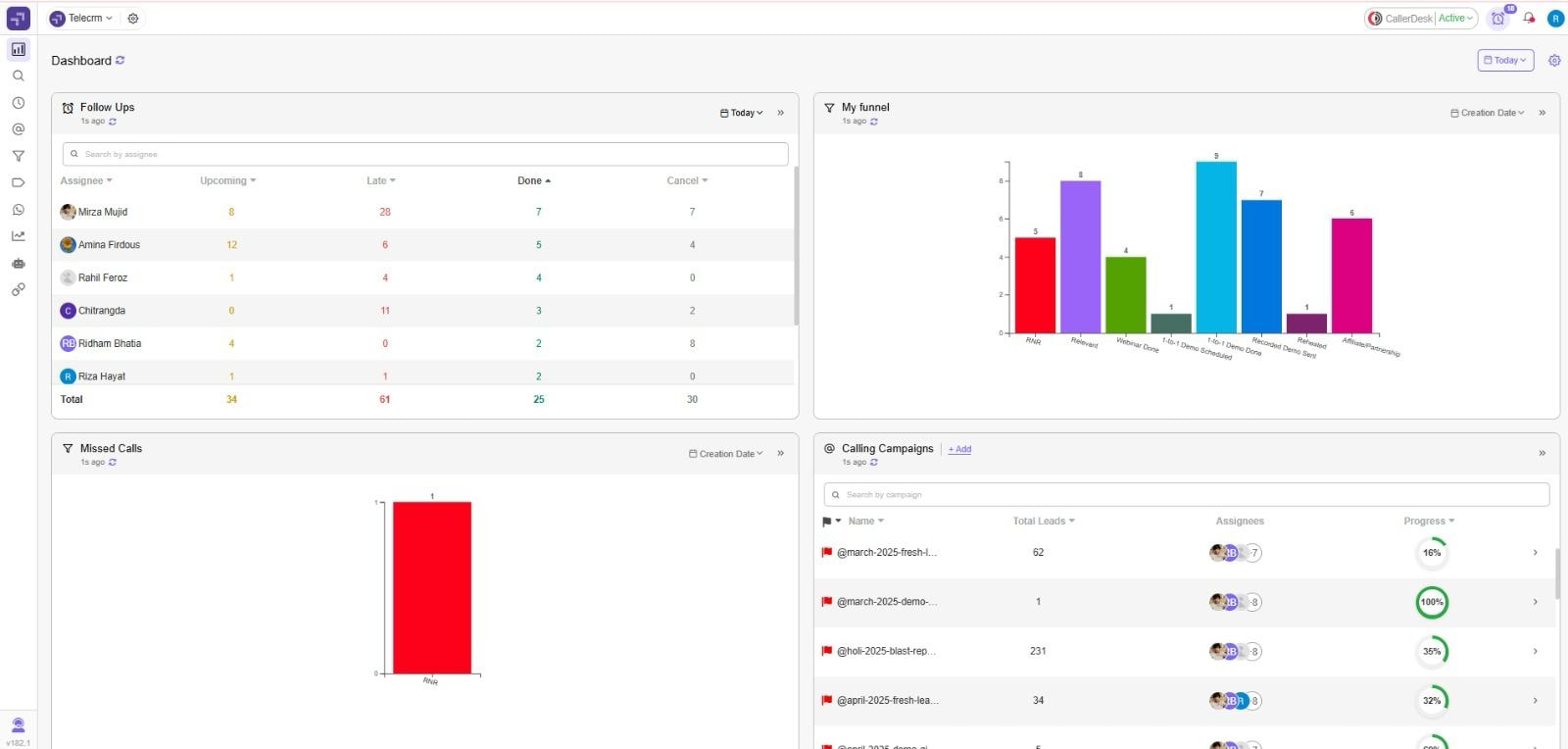
With Telecrm, you get:
Whether you’re running a real estate firm, education consultancy, service agency or dealership – Telecrm gives you everything you need to manage your sales and support without switching between apps.
Picking an operational CRM system isn’t just about features or pricing. It’s about finding the tool that fits the way your team actually works – your sales process, your lead sources, your customer expectations and even your team’s comfort with tech.
So, how do you choose the right operational CRM for your business?
Here are some practical things to consider.
If you’re a small team with 3–5 members, you’ll want a CRM that’s:
If you’re managing 15+ reps across cities or branches, you’ll need something that supports:
Tip: Avoid overcomplicated CRMs if your team is just getting started. You’ll spend more time managing the tool than closing deals.
Every business has different lead sources. Your CRM should be able to:
If you rely heavily on WhatsApp, calls or local listings like JustDial, make sure the CRM supports native integration or automation – not just email.
Do your reps mostly call? Text? WhatsApp? Do they visit clients in the field?
Your CRM should support your follow-up flow, not force you into one.
Look for features like:
The best CRM feels like a support system – not an extra task.
If you also want to run SMS or WhatsApp campaigns, or manage after-sales service, make sure the CRM system includes:
Some CRMs focus only on sales pipeline management. That’s fine – unless you want a full customer lifecycle experience in one place.
Most Indian SMBs don’t want to spend ₹2000+ per user per month, especially when the team size grows.
Make sure you’re getting:
Sometimes a cheaper CRM system ends up being more expensive when you add calling tools, WhatsApp API and follow-up systems separately.
Even the best CRM won’t work if it’s set up the wrong way.
Here are some common mistakes to avoid during the CRM implementation process in your business:
Mistake | What it looks like | Why it’s a problem | What to do instead |
No lead stages | All leads are lumped into one view | Sales reps get confused, managers can’t track progress | Set clear lead stages like New → Follow-up → Demo → Closed |
Overcomplicating setup | Too many fields, workflows or automations | Reps feel overwhelmed and stop using it | Start with the basics – add complexity only when needed |
Not setting follow-up rules | Leads sit idle after the first call | You lose hot leads just because no one followed up | Create automatic reminders and assign next steps |
No team training | Reps don’t know how to use the tool | Low adoption, scattered customer data and manual errors | Spend 1–2 hours training your team with real examples |
Skipping mobile setup | CRM works on the desktop only | Field reps can’t update leads or check tasks in real time | Choose a CRM with a strong mobile app and live sync |
Forgetting after-sales | The support team has no access to CRM | Customers keep calling salespeople for help | Create service workflows and give support access too |
Not tracking usage | You assume the team is using it | No follow-ups, no updates, no results | Monitor activity reports and review follow-up logs regularly |
If your business is growing but your team is constantly juggling leads, chasing follow-ups or losing track of customer interactions, like we mentioned in the beginning, it’s not a people problem. It’s a process problem.
An operational CRM gives you the structure to scale.
It helps your sales, marketing and support teams stay on the same page, follow a clear process and never let a lead slip through the cracks. And the best part? You don’t need a large team or a huge budget to make it work.
Whether you’re running a real estate agency, coaching centre, service business or dealership, a good operational CRM helps you:
If you’re just starting out or switching from manual methods, choose a CRM that’s built for Indian teams and doesn’t require extra tools to do basic things like call or message customers.
Ready to try an operational CRM that actually fits your workflow?
Book a demo with Telecrm and see how you can streamline your entire sales process in one place.



© Copyright 2025 Telecrm.in - All Rights Reserved • Privacy Policy • T&C



© Copyright 2025 Telecrm.in - All Rights Reserved • Privacy Policy • T&C