


Looking to accelerate the growth of your business? A WhatsApp e-commerce store can be the catalyst you are looking for! Read this article to learn more.
Exactly three seconds after placing the order, my phone beeped with a WhatsApp message notification.

This was a ₹499 order I placed with Shakti Bookstore located in Sambalpur, a small town in U.P. But with a simple WhatsApp order notification, the humble bookstore has created an experience that you usually only get with a brand like Amazon or Flipkart.
Wouldn’t you like to do this for your customers?
Two billion users use WhatsApp. And every WhatsApp message gets seen and replied to within minutes. That’s better engagement than any other messaging platform out there.
If you’re not convinced, here are three simple reasons why you should create a WhatsApp e-commerce store:
People don’t open Gmails and SMS alerts and unless the alert is about their salary or if it’s an OTP!
All that engagement on WhatsApp can actually turn into new business opportunities
It gives you a chance to deliver better overall customer service, which in turn gives you a competitive edge over your competitors
Are you ready to take a deeper dive into WhatsApp e-commerce store?
Read on to find out how you can create a WhatsApp e-commerce store with both WhatsApp Business and official WhatsApp API, and the best practices to boost your sales with one.
A WhatsApp e-commerce store is exactly what it sounds like: an online shop where you sell products directly through WhatsApp. Instead of asking customers to visit your website or download your app, you handle everything inside WhatsApp chat:
For small businesses, it’s the easiest way to start selling online. Whether you run a clothing store, an electronics shop or even a bakery, a WhatsApp e-commerce store helps you manage everything using just your phone.
Plus, it saves time. Customers already use WhatsApp every day. Messages get opened and replied to quicker than emails or SMS alerts. That’s why more Indian businesses are shifting to WhatsApp commerce to handle customer enquiries, sales, and after-sales service all in one place.
In simple words, it’s like turning your WhatsApp account into a full e-commerce store where browsing, buying and customer support all happen through chat.
Still wondering why you should bother selling on WhatsApp when you already have a website or run ads elsewhere? Simple. Your customers are already on WhatsApp. Now it is about meeting them where they are.
Here are the key benefits of setting up your WhatsApp e-commerce store:
With two billion active users, WhatsApp is where your buyers actually open and respond to messages. Emails get ignored, SMS gets marked as spam, but WhatsApp gets noticed within minutes.
You do not need to invest in building an e-commerce website or maintaining an app. Your entire store can run through WhatsApp chat. From sharing product photos to collecting payments, everything happens in one place.
Compared to traditional platforms, customers on WhatsApp reply faster. That means fewer missed enquiries, quicker follow-ups and higher sales conversions.
With greeting messages, away messages, and chatbots, you can handle customer queries even when your team is offline. No customer waits without a reply.
Whether you sell clothes, electronics, or food items, creating a WhatsApp store takes less effort and money than setting up a full e-commerce platform.
When customers can chat directly with your business, it feels more personal and reliable. From order updates to sharing offers, WhatsApp keeps your brand present in their daily routine.
Let’s look at the procedure to set up eCommerce on WhatsApp Business.

First, download the WhatsApp Business app from either Google Play or the App Store.
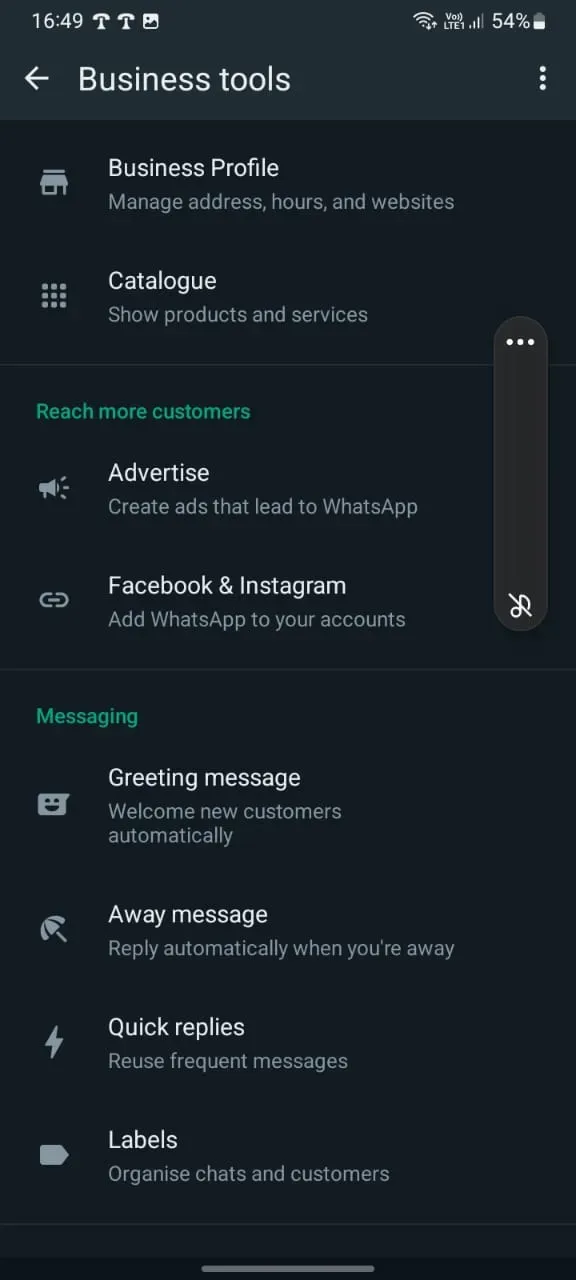
Create your WhatsApp Business account and verify your business phone number through OTP. In the settings, add the name and logo of your business.
You can then click on Business tools and select Business Profile, filling in all the necessary information.
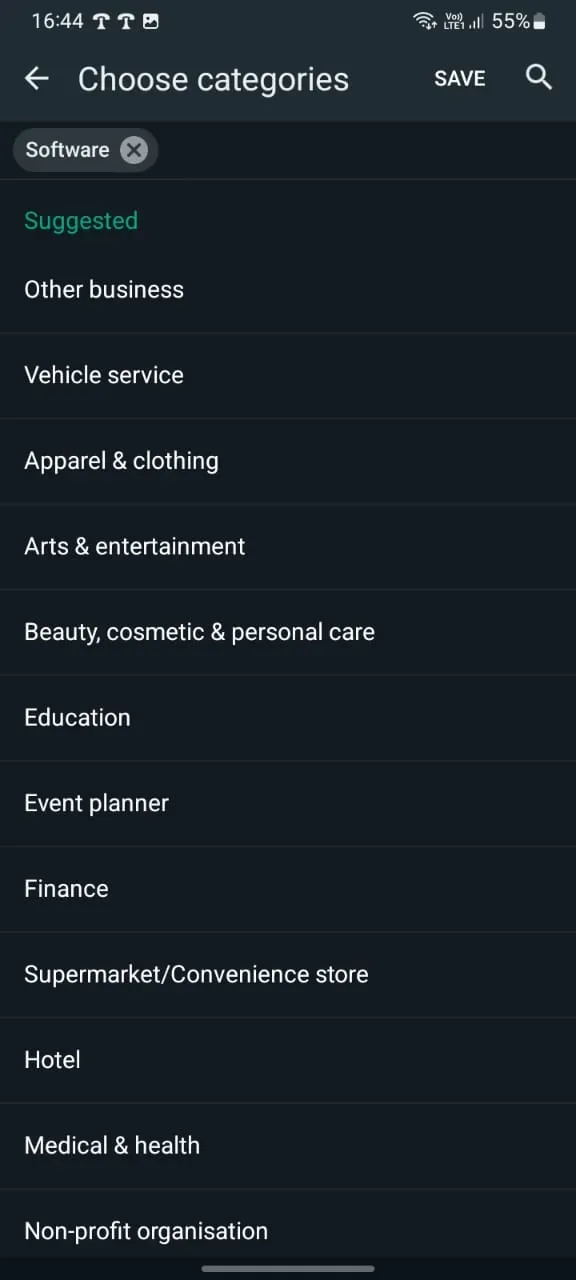
Select the category of your business from the ‘Choose categories’ option.

Write a brief description of your business, what it offers, etc. This is an extremely important step because the ‘About’ section is the first place where leads go after receiving a message from a business.
Make sure it’s brief, relevant and conveys your business offering in a simple and relatable manner.
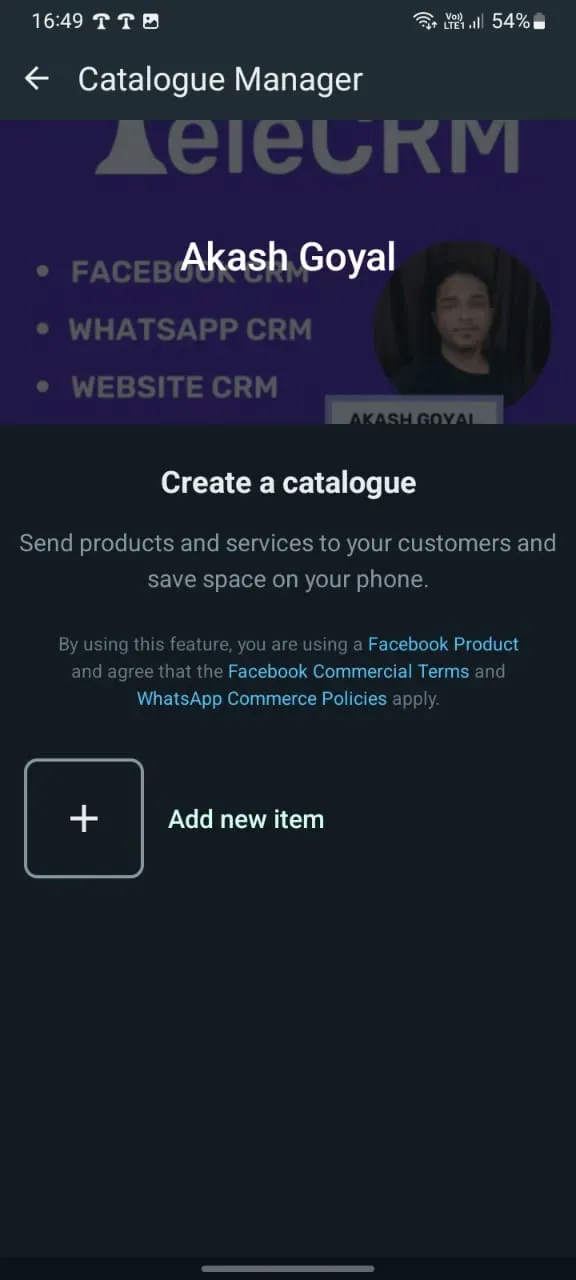
With the Business app, you can effortlessly show off your products or services right on your WhatsApp profile. Along with some eye-catching photos and pricing info, throw in some catchy descriptions. It’s a great way to give your customers a quick peek at your offerings!
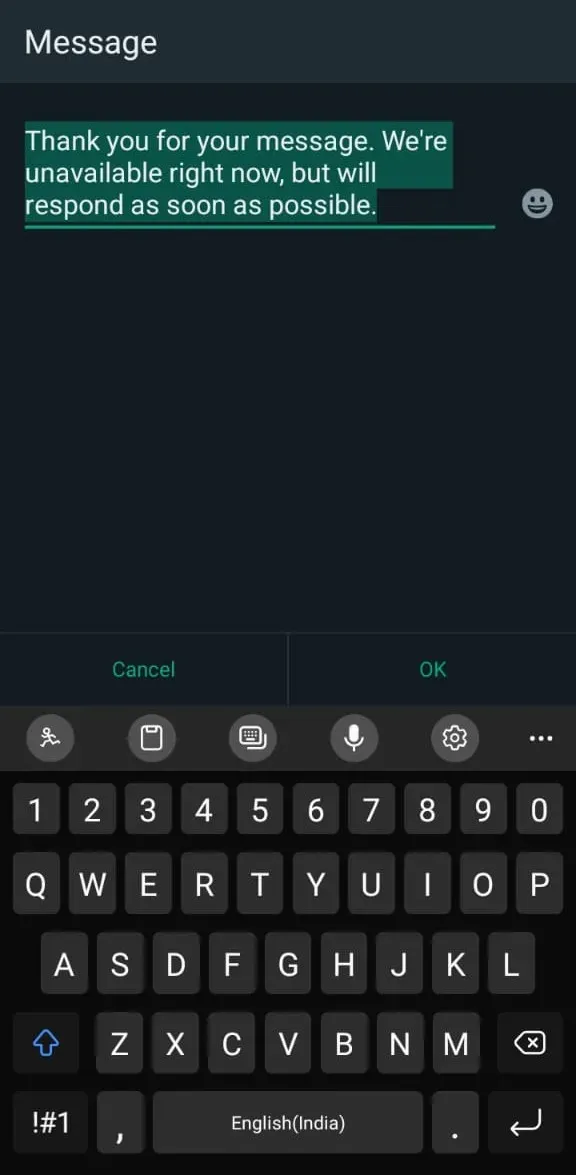
A greeting message is an automatic reply that is sent to leads when they either interact with your business for the first time or if they interact after a considerable gap. It’s an effective way to instantly connect with your prospect so they won’t have to wait to receive a message from you.
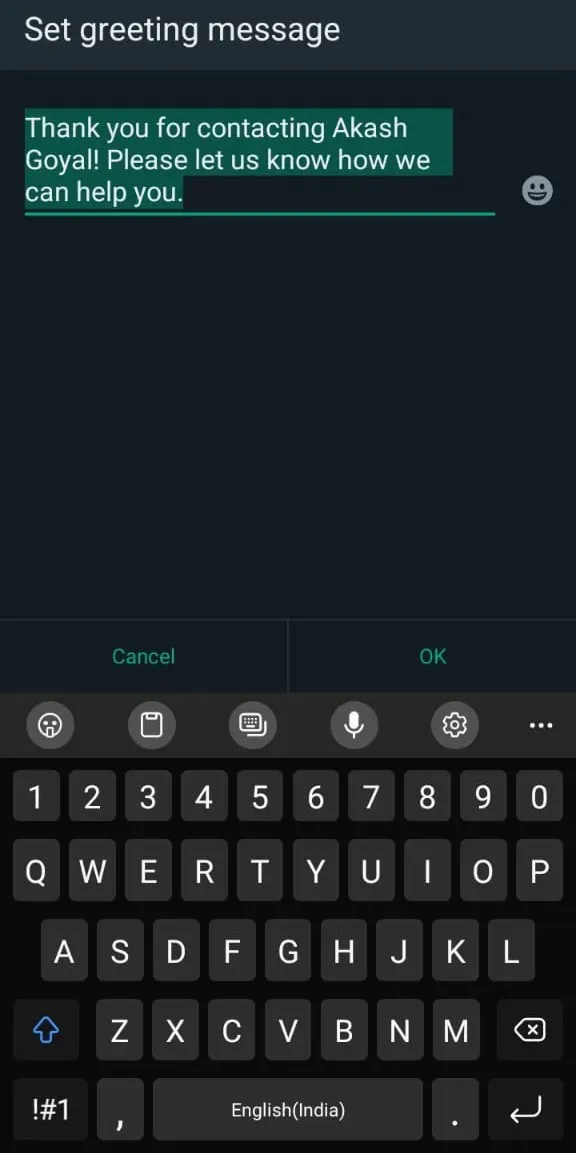
An away message is an automatic reply that is sent to your leads and customers when they try to reach you beyond your work hours.
It ensures that your customers and prospects receive an immediate response even when you’re not around.
The stage is all set now for your eCommerce business. You can customise your profile according to your needs and start exploring the key benefits of eCommerce platforms to maximise growth and efficiency.
WhatsApp API is not free and cannot be set up without a BSP or tech partner. Hence, you’ll have to apply for WhatsApp Business API via an official third-party provider.
Plus, you need certain prerequisites to create a WhatsApp Cloud API account:
A phone number to apply for WhatsApp API (You need a number that doesn’t have an active WhatsApp account.)
You need a GSTIN (to show you’re a GST-registered business operating in India)
A business name
A verified Facebook Business Manager ID (You will have to set up a Facebook business Page to get this ID.)
A debit/credit card for payment
Once these details are ready, you can begin the signup process for WhatsApp Cloud API by following these steps:
This initial step is creating an account on Meta’s developer platform. You need this account to manage your app and API settings.
Go to developers.facebook.com to create the account.

Once you have a developer account, you need to set up an app from the ‘Create app’ section. This app represents your business on the Meta platform and is necessary for using WhatsApp Cloud API.

After your app is set up, you’ll have to link WhatsApp to your Meta Business Account. This step involves adding your business phone number to WhatsApp and setting up your business profile.

Finally, you integrate WhatsApp Cloud API with a CRM system like Telecrm. This allows you to manage your WhatsApp messages, automate responses, and keep track of customer interactions efficiently from one central hub.
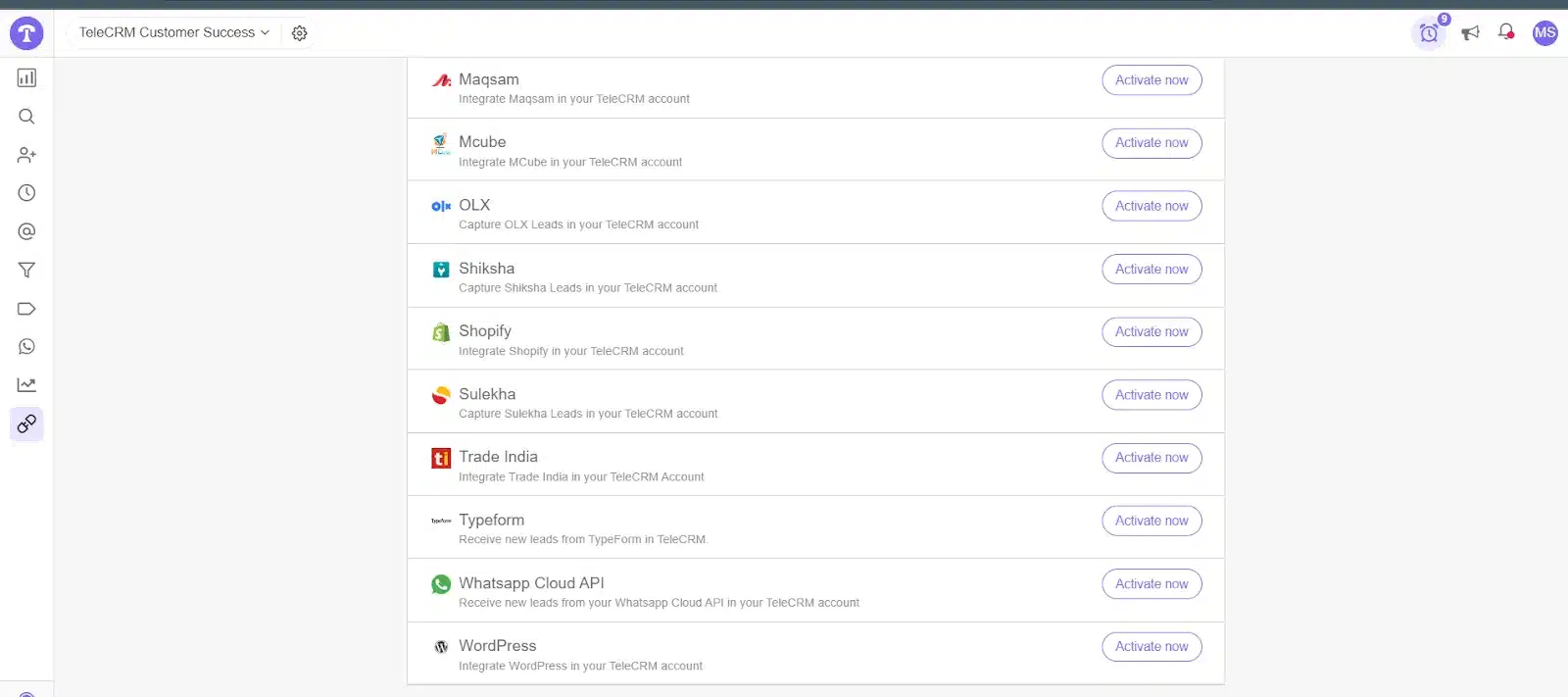
Setting up WhatsApp API is a complex process. You have to:
Create a Meta developer account
Configure WhatsApp API
Understand WhatsApp’s platform charges
Look for the best service providers
Optimise the API according to your business processes, etc.
Sound hectic? But what if I told you there is a way to avoid this time-consuming process?
With Telecrm, you can get started with WhatsApp API in no time. We take care of the entire setup process and provide constant support so you never get stuck.
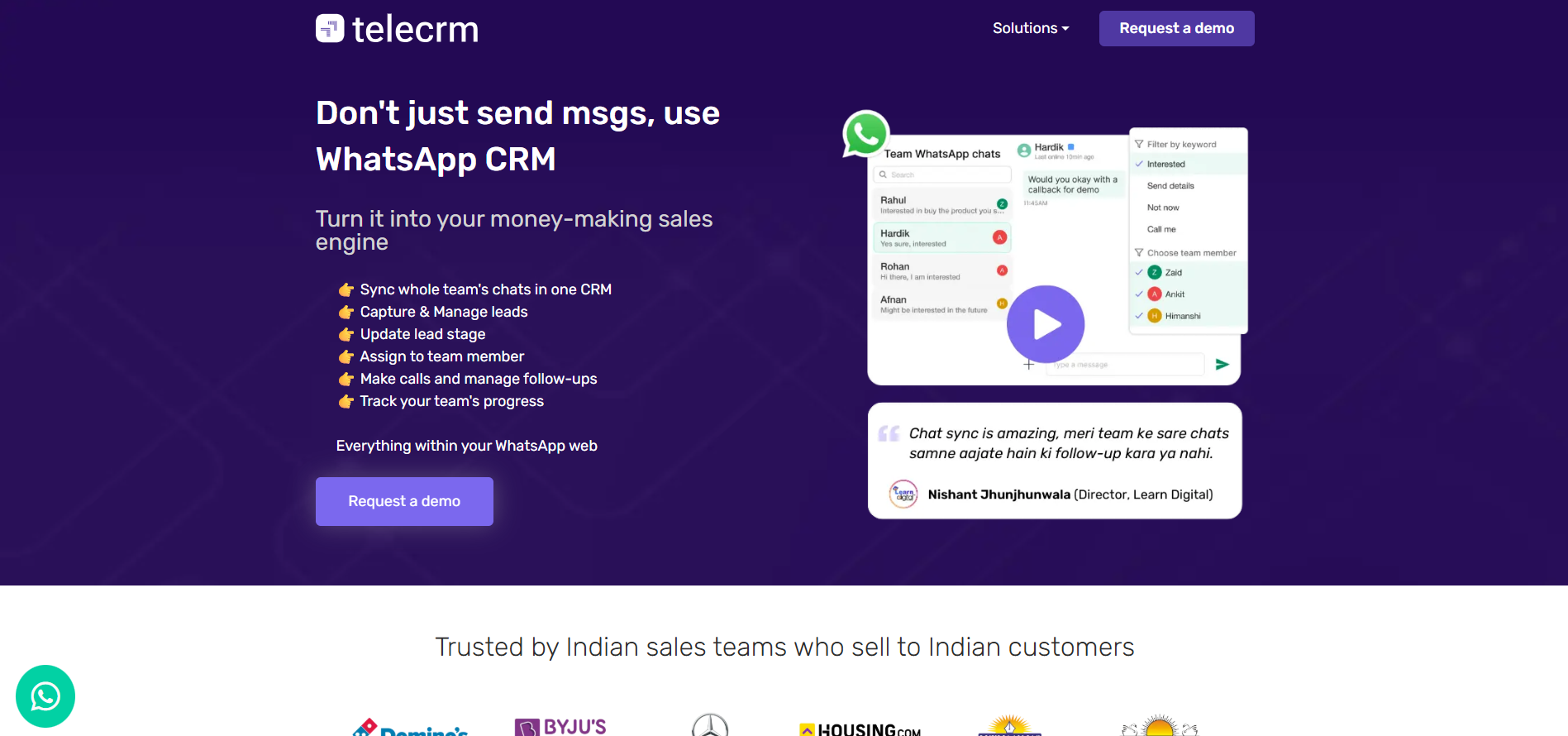
And the best part: it’s not just a tech provider, but a complete WhatsApp CRM. So, apart from bulk messages, automation and analytics, you also have access to plenty of lead management features.
Auto-dialer: Speed up your calling process by automatically dialling numbers, allowing your team to focus on the conversation, not on manually dialling numbers
Click-to-call from WhatsApp: Instantly call a lead directly from WhatsApp chat, which makes responding to queries or follow-ups easier and faster (The call is redirected to the phone’s dialer.)
Follow-up reminders: Ensure you never miss out on reaching back to potential customers with timely WhatsApp notifications that remind you of the hottest leads
WhatsApp chat sync: Keep all your WhatsApp interactions organised in one place, simplifying how you track and manage conversations
Integrations: Integrate with your website and other platforms that you use for seamless data management from one central hub
Call recording: Access your team’s call recordings to monitor how they interact with your leads and customers and check whether they are following protocols
Now, you might be wondering, software with such a wide range of features must be costly. Well, it is not!
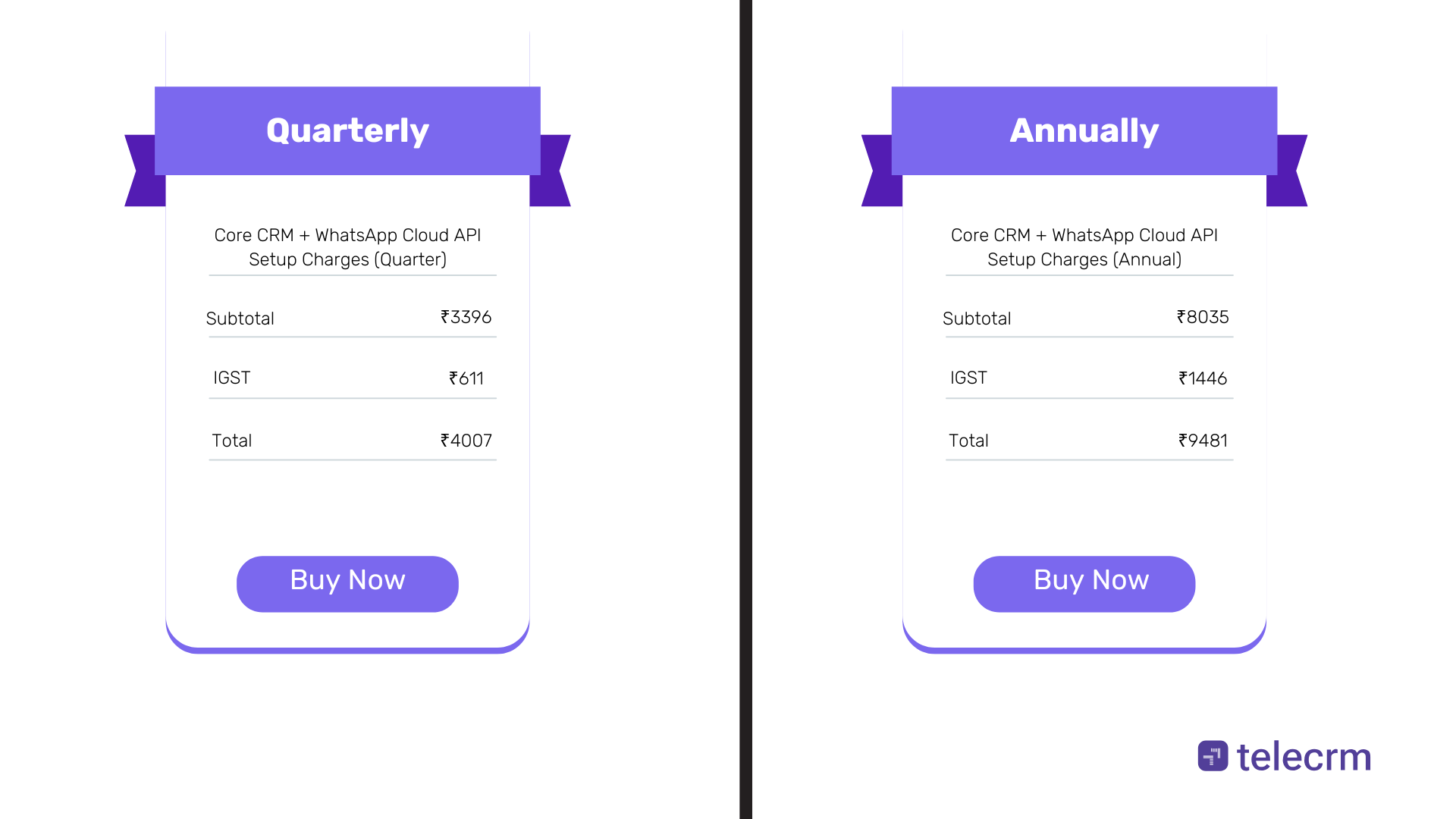
You can access WhatsApp Cloud API, Telecrm’s WhatsApp CRM and tech support for the price of one fancy dinner!
If you’re using the regular version of WhatsApp for your business needs, stop right away!
There are so many business-friendly features in WhatsApp Business that once you have tried them out, you will curse yourself for using WhatsApp Messenger instead of the WhatsApp Business app for customer communication.
Here are some of the tasks you can perform with the app:
Automate replies to the FAQs of customers
Send automatic greeting messages to your leads
Create labels and put different contacts under different labels to manage your entire business network on WhatsApp
WhatsApp Business API is a paid service provided by WhatsApp for medium and large businesses. The main purpose of the API is to overcome the limitations of WhatsApp Business. It unlocks a variety of marketing tools on the platform to grow your e-commerce store.
Here are the key features of WhatsApp’s official Business API that can help you quickly engage new prospects in large numbers and convert them into paying customers:
WhatsApp or WhatsApp Business does not allow bulk messaging. If you try it with third-party apps, your number can get banned from WhatsApp because the WhatsApp app is meant for personal one-to-one communication. But with WhatsApp’s official Business API, you can send bulk WhatsApp marketing messages to a practically unlimited number of people.
Instantly engage with all incoming leads using a WhatsApp chatbot. You can send automatic messages, get them to make choices and redirect them to other platforms and pages based on their choices. All these actions are performed without you having to do anything.
Generate reports on lead conversion rates, follow-ups, successful WhatsApp deal closures, pending deals, lost leads, number of ongoing conversions, etc., all from one central hub. WhatsApp API can also be easily integrated into your e-commerce website to track every website activity that of a prospect.
Unlike WhatsApp Business, WhatsApp’s official API requires technical expertise and setting it up yourself would be challenging because WhatsApp API is not an app. You’ll have to opt for a business service provider (BSP) or a tech partner like Telecrm to take care of the complete process — from setup and technical support to integration with third-party software.
Also, WhatsApp API is NOT free. It follows a conversation-based pricing model. A BSP may charge separate fees for their services which may either be in line with WhatsApp’s pricing model or follow the message-based pricing model.
Let’s say your prospect wants to buy something but before that, s/he has a question.
Having the WhatsApp chat button is an ideal option for such a situation. Because now the prospect can just click a button to contact you, get their query resolved and place the order!
With Telecrm’s WhatsApp API integration, you can take it a step further and automate the entire interaction.
No one likes typing long emails to explain their issues, and most importantly, waiting for hours to hear back from the brand or agent.
As a result, people remain unsatisfied with the customer service of most companies.
Studies point out that 60% of users hesitate to make an online purchase because they are concerned about customer service.
What if there was a way to ensure customer satisfaction while at the same time saving your time in manually providing customer service?
That’s exactly what a chatbot does. It’s a 24/7 query-handling machine that is used to provide customer service automatically.
If the customer needs extra support, it can even transfer the chat to a customer service representative.
Therefore, you should use WhatsApp chatbots to provide your customers with efficient customer service anytime they need it.
To Know More: Provide customer support 24×7 with the smart chatbot
Do visitors to your e-commerce website add products to their cart but never check out?
You send them an SMS alert, but it gets filtered by Truecaller or is ignored by the customer so that’s practically useless.
So, what’s the solution?
You can implement a WhatsApp cart recovery strategy. Here’s how:
Send a gentle cart abandonment reminder (You can automate this with WhatsApp API.)
Provide them with some discounts to entice them into buying your product
Make the customer realise that they’re missing out on a very good deal unless they complete their purchase immediately
This way, you’ve reminded your customer about their cart, informed them about the product and solved their queries, all with WhatsApp API. And the best part is that you’ve earned a loyal customer!
This is how WhatsApp API can help you recover lost sales and convert visitors into customers.
Earlier, sending regular order updates and order tracking was difficult via emails and SMS. And not very fruitful because of them being marked as spam or worse yet, not being opened at all.
But WhatsApp API can make sending order updates a whole lot easier and more effective.
Imagine a customer has ordered a pair of shoes from your website. Wouldn’t it be super helpful if they received regular WhatsApp updates about that order and its delivery status?
Providing this information to customers leads to increased customer satisfaction, repeat purchases and increased referrals.
Assign a dedicated support agent or a team of agents whose primary responsibility is to monitor incoming WhatsApp messages. This way, your team can answer queries, share catalogs, and promote cross-sells and upsells, ensuring no prospect is left waiting for a resolution to their query.
Pro Tip: Assign different agents at different times to cover both peak and dull hours to further boost communication and ensure that no opportunity is missed.
You can significantly increase your sales by integrating WhatsApp e-commerce store into your business with the help of WhatsApp Business (if you run a small business that doesn’t rely on WhatsApp for all its communication needs) and WhatsApp API (if you run a medium to large business with heavy dependence on WhatsApp for its communication needs.)
If you’ve decided to get WhatsApp API, you don’t have to look further. With Telecrm, you can not only create an e-commerce store on WhatsApp, but also manage all your leads and customers from one place.
To learn more about Telecrm, book a free demo today!



© Copyright 2025 Telecrm.in - All Rights Reserved • Privacy Policy • T&C



© Copyright 2025 Telecrm.in - All Rights Reserved • Privacy Policy • T&C